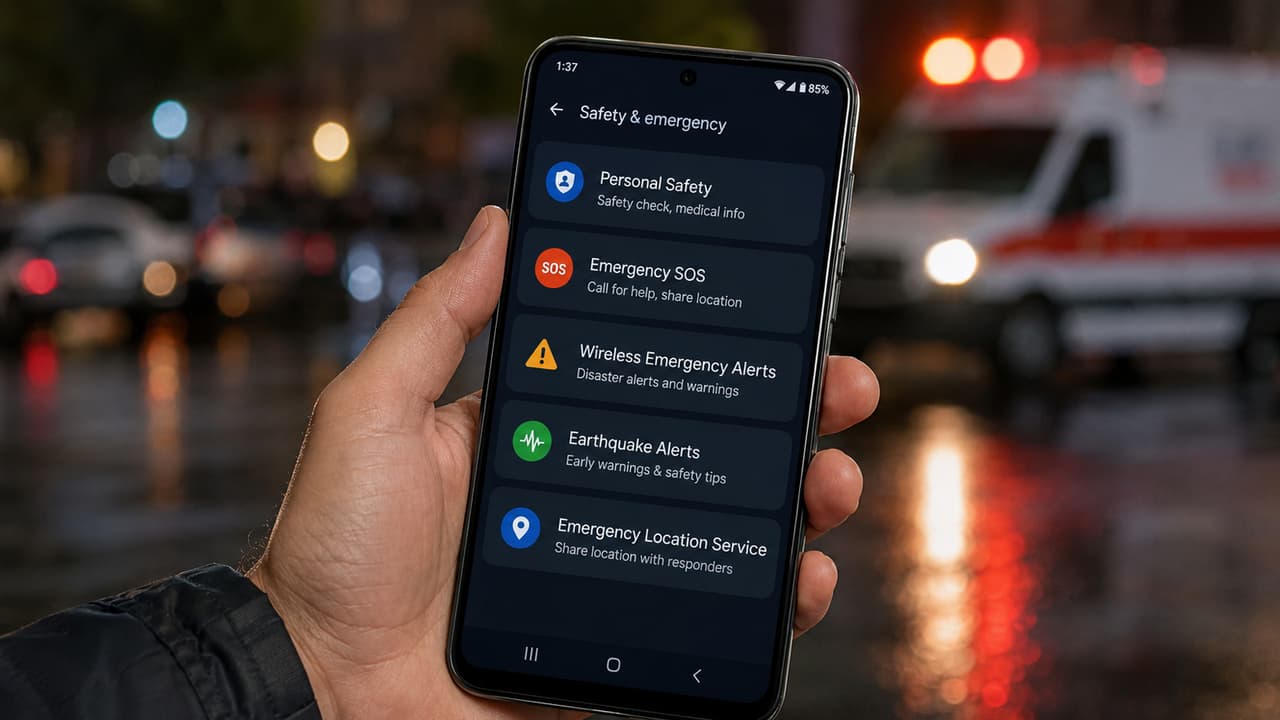
Android Emergency Settings: How does the Emergency SOS feature work in Android phones? What important information can be saved in the Personal Safety App? How many seconds does the Earthquake Alert System give warning and how does it help?
In today’s time, smartphone has become not only a means of calling or social media, but also a lifesaving device. There are some important safety features provided in Google’s Android system, which can help in saving your life during emergency. If you turn on these settings in advance, help can come faster in case of an accident, medical emergency, or natural disaster.
Personal Safety App
This app is your safety control center. In this you can save your medical information like blood group, allergies and health details. Apart from this, the Safety Check feature monitors your location during your journey and sends alerts to the family when needed.
Earthquake Alerts
The phone warns with a loud alarm seconds before an earthquake occurs, giving time to get to a safe place. It uses your phone’s sensors and Google’s network to warn you with a loud alarm seconds before an earthquake is felt. To turn this on, you will have to go to Settings then Safety and Emergency and then keep Earthquake Alerts on.
Emergency SOS
By pressing the power button 3-5 times, the phone can immediately make an emergency call, send the location and if desired, can also start video recording. For this, go to the phone’s settings, open Safety and Emergency there and then turn on Emergency SOS.
Wireless Emergency Alerts
Alerts like flood, storm or heavy rain sent by government agencies come directly to your phone, so you can be alerted in advance. For this, Settings > Safety and Emergency > Wireless Emergency Alerts have to be turned on.
Read more: What is special in OPPO Find X9s? Powerful combo of Hasselblad camera, 7025mAh battery and AI features
Emergency Location Service (ELS)
During an emergency call, your phone sends your exact location to the rescue team through GPS, so that help reaches quickly. Go to Settings > Safety and Emergency > Emergency Location Service and click on it. According to Google, this location is accessible only to authorized emergency services and is not shared with anyone else.
Read more: Tecno Pova 8: Launched with 8000mAh battery and 144Hz display, gamers will have fun!