
New Delhi: Telegram has rolled out a new update that adds several features aimed at making chats more useful and interactive. The update focuses on improving how people write messages, participate in polls, and share media, while also bringing new tools for developers and stronger transparency around security.
With this release, the platform is also pushing its own AI tools, but with a focus on privacy. At the same time, it is expanding features for group chats and channels, which remain a key part of how users engage on the app.
AI tools and smarter messaging
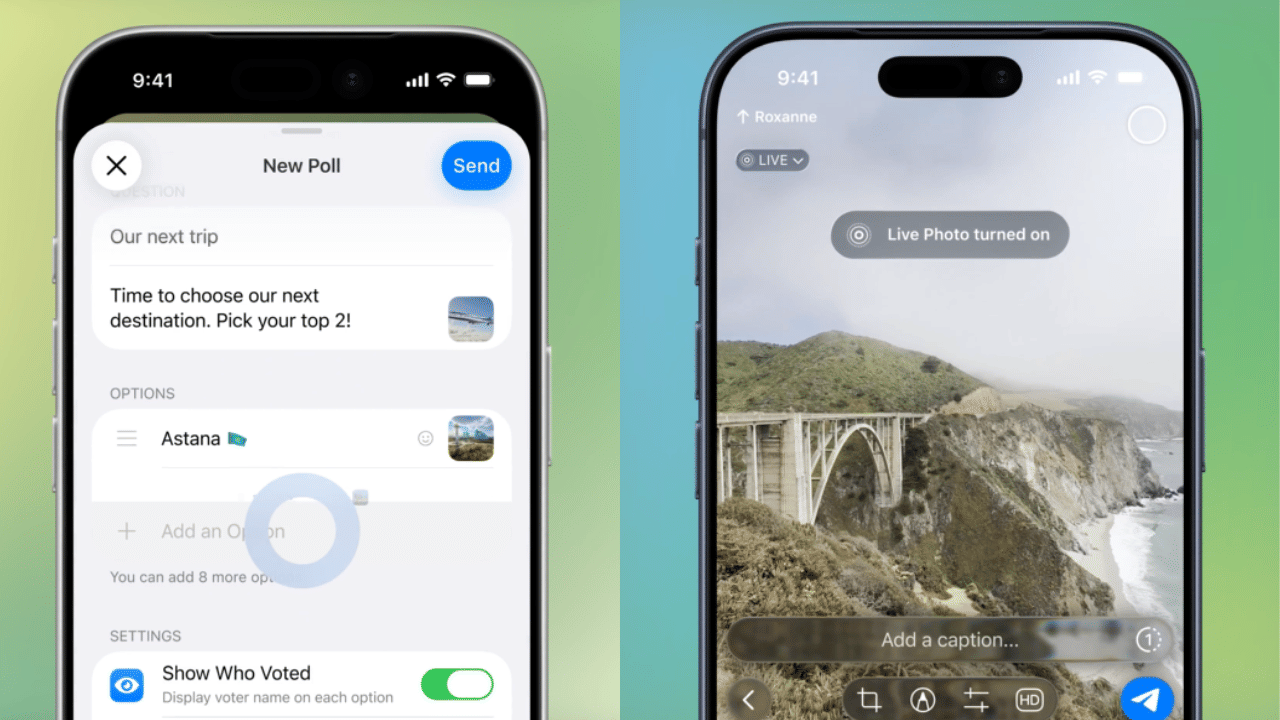
Telegram live and poll feature
One of the main additions is an AI-powered text editor built directly into the message bar. It helps users correct grammar, rewrite messages in different styles, or translate text instantly. The tool offers multiple tone options such as formal, short, and others, making it easier to adjust how a message sounds before sending.
Polls have also been upgraded. Users can now add images or locations to polls, include descriptions, and even allow others to suggest answers. There are more controls as well, including options for visible votes, time limits, and restricting changes after voting. A separate section now makes it easier to find both active and older polls in chats.
Media features, bots and safety updates
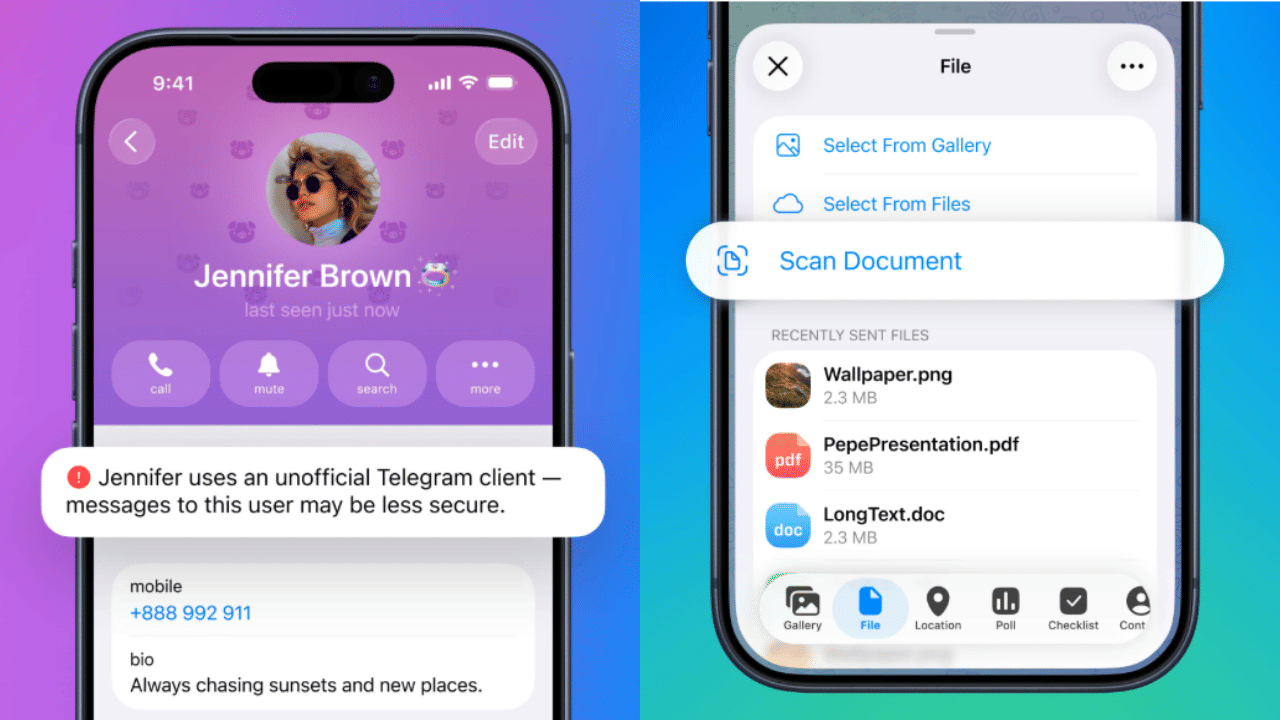
Telegram safety features
The update also adds support for Live Photos on iOS and Motion Photos on Android. These photos can be sent in chats with different playback options like looping continuously or playing forward and backward. It simply adds a bit more life to regular photos instead of sending still images.
Telegram has also made changes to its bot system. Now, bots can handle the creation and management of other bots. This makes things easier for users who want to build simple tools on the app without getting into coding. This could help more people experiment with automated features inside the app.
For iOS users, a new document scanner has been introduced. It can scan multiple pages, remove unwanted background, and save everything as a single PDF within the app, so you don’t need a separate scanner.
Now it will also show a small warning on profiles that are using unofficial apps. Which aware users that chats with such accounts may not be as secure, helping them stay cautious while messaging.