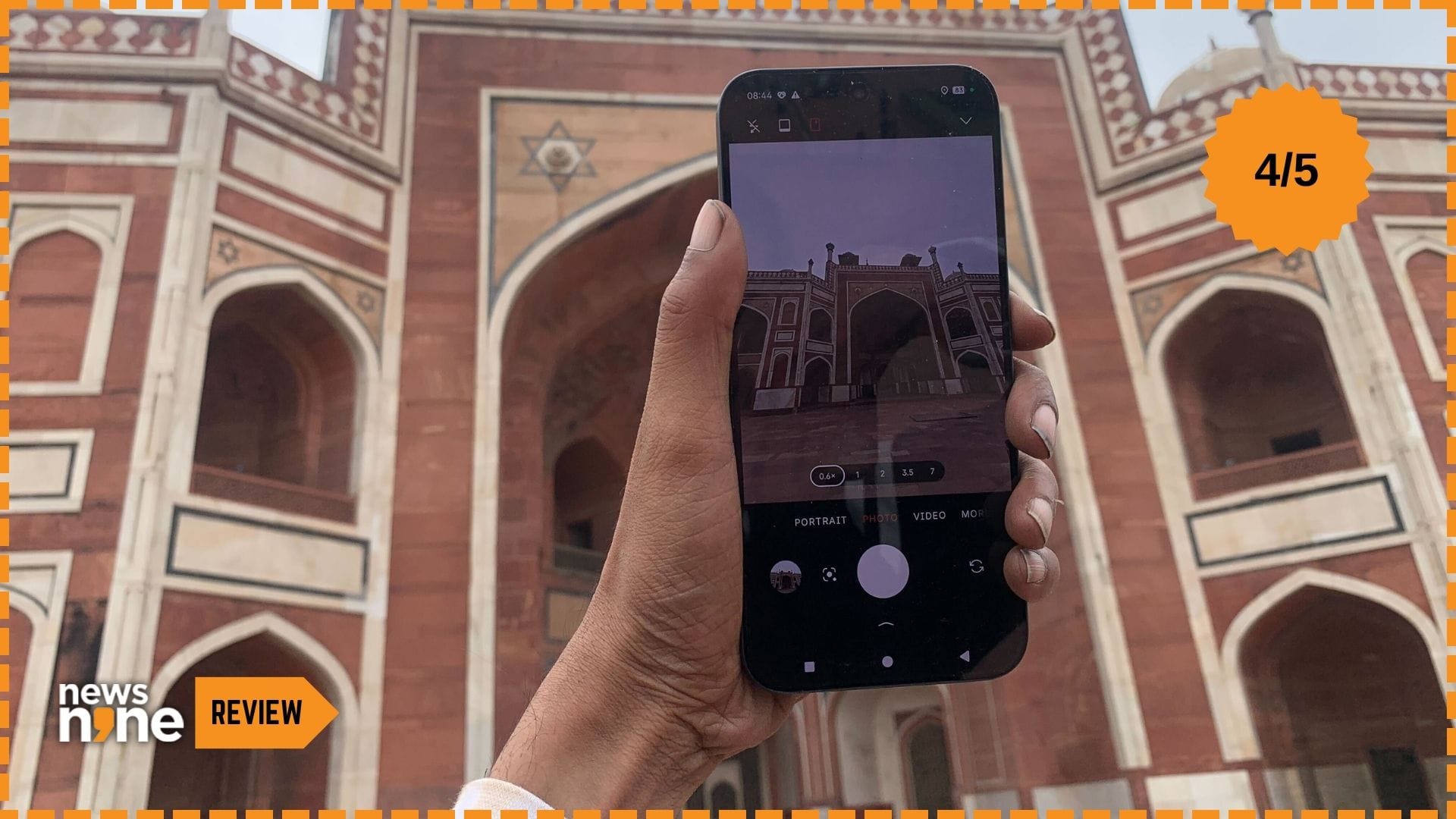
New Delhi: The Nothing Phone 4a Pro was launched on 5 March, 2026, during the ‘Built Different’ event in London, along with the Nothing Phone 4a. These are the latest additions to Nothing’s growing lineup of smartphones that blend distinctive aesthetics with accessible technology. Nothing was founded in 2020 by Carl Pei, the co-founder of OnePlus with a bold mission to challenge the stagnant and overly complex world of consumer technology devices. The company was born out of frustration of devices that felt cold and impersonal, with Pei setting out to create products that spark joy, encourage creativity, and put humans back in the centre of technology. The Nothing Phone 4a Pro embodies that vision.
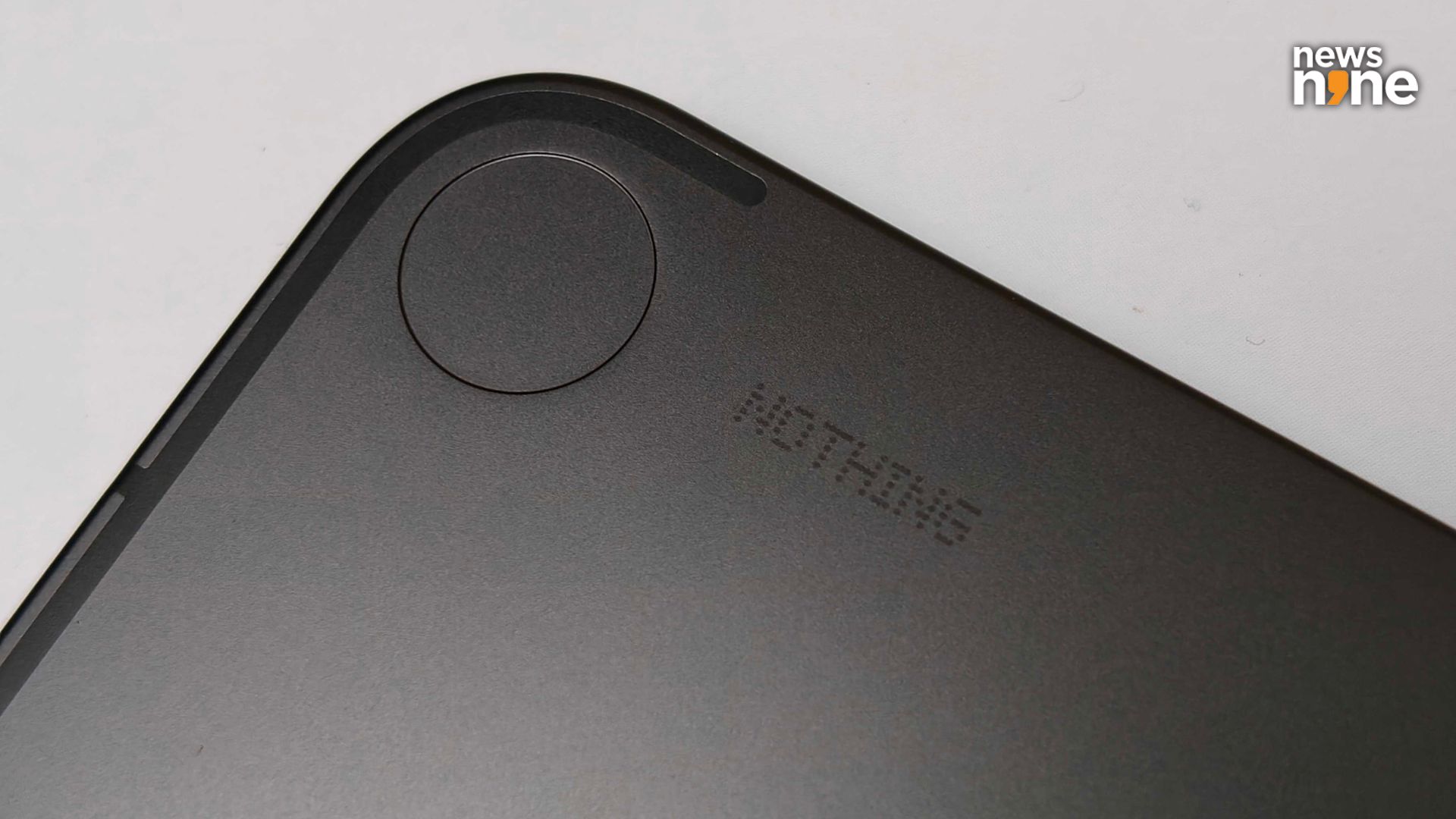
The Nothing branding on the back is minimalistic and subtle, just like the device. (Image Credit: Aditya Madanapalle/News9).
The company has built a reputation for designs that are playful yet minimalistic, and a refusal to follow conventions of the industry. If you are of the belief that smartphones are barely differentiated except for their back panels, then Nothing does a great job at designing distinctive back panels as well. The brand is pretty successful in its aim of fostering a sense of wonder in everyday interactions. The Phone 4a Pro is aimed at design-conscious users who crave personality in their gadgets. With the 4a Pro, Nothing is offering a smartphone with a standout design for creative individuals and mavericks who are tired of generic smartphones.
Nothing Phone 4a Pro Build and Design
We actually felt that the Nothing 4a has more of a distinctive, eye-catching look than the 4a Pro, which is more restrained. The 4a Pro features the Glyph Matrix. The 4a Pro uses an aircraft-grade aluminium unibody construction for both the frame and the back panel, which is a departure from the plastic or glass-heavy designs on previous models. This is a sleek device measuring 7.95 mm in thickness, and weighs 210 grams, providing a reassuring heft without feeling bulky. Featuring a bright and vibrant 6.78-inch AMOLED display, the phone still fits comfortably in most pockets.
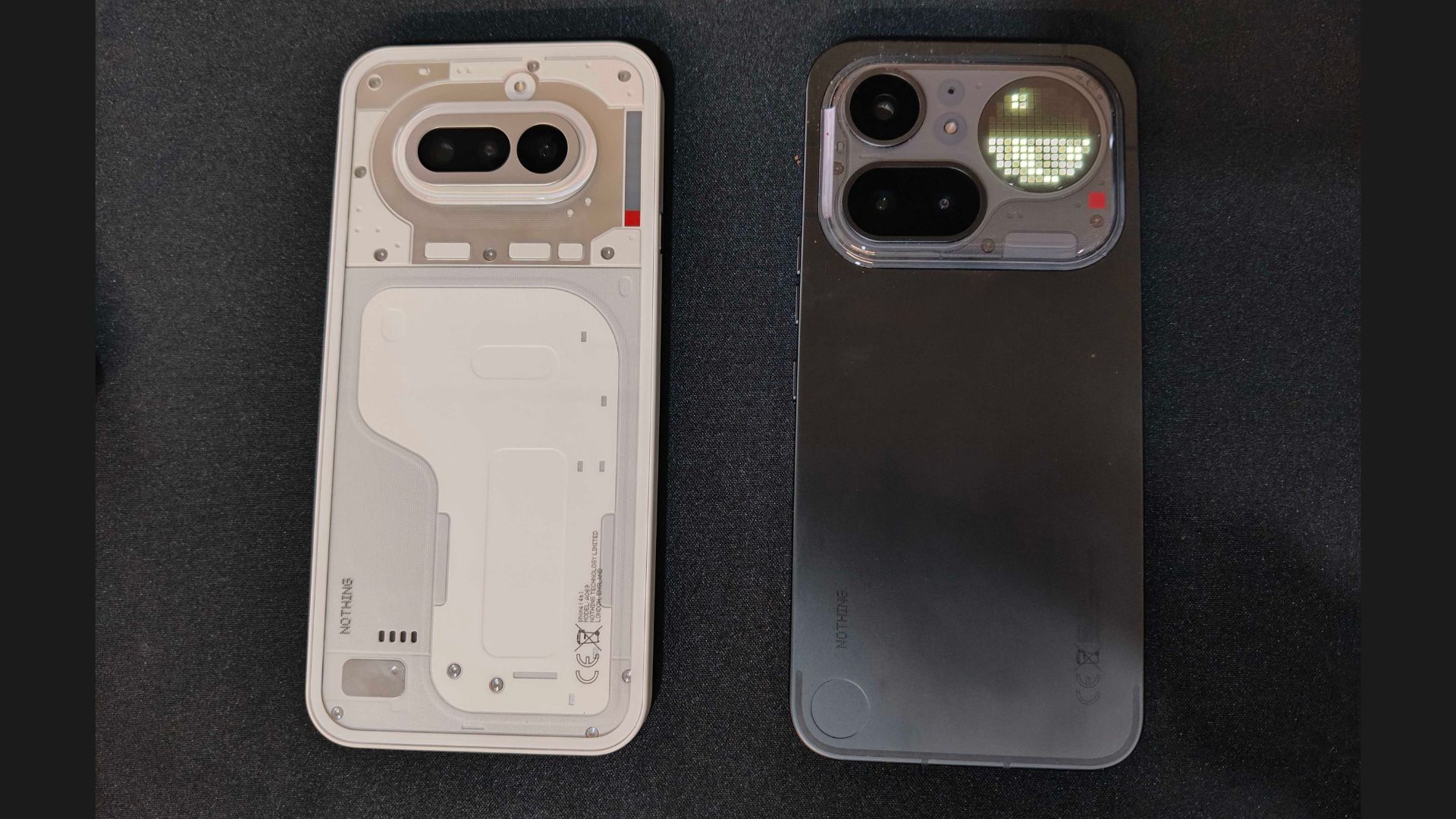
The Nothing Phone 4a on the left and the Nothing Phone 4a Pro on the right. (Image Credit: Aditya Madanapalle/News9).
The aluminium is a matte, dark grey finish, but the transparent case packed in the box provides a slight texture. The edges are all smooth to the touch, even in the transition between metal and glass. The bevels around the screen are slim in all the four directions. The ergonomics of the device are excellent, suitable for operating with one hand, with an even weight distribution. It is possible to balance the device on a single finger, right at the middle. The precision of the engineering is apparent, giving the device a solid, durable presence.
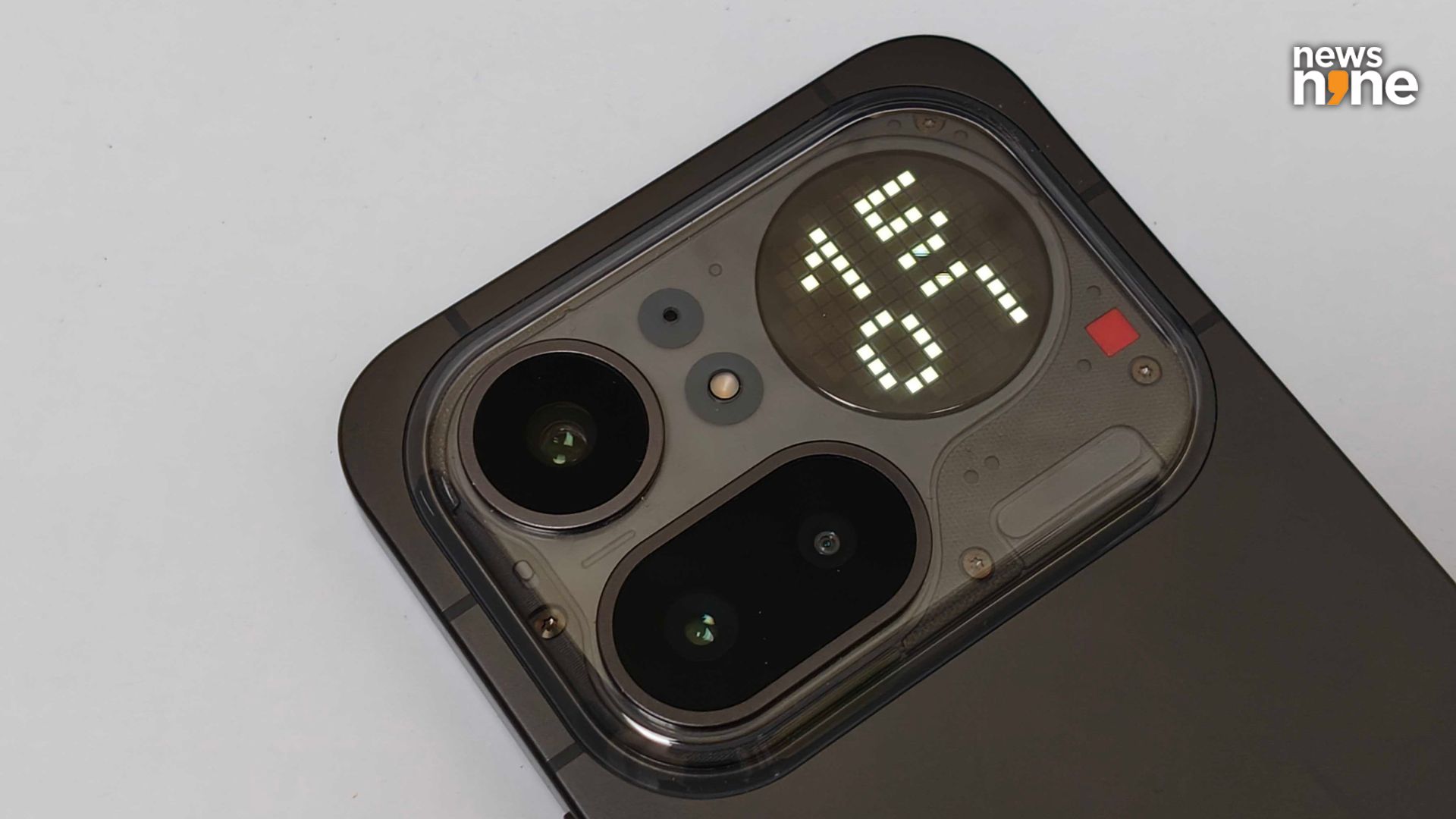
The distinctive transparent island on the back is eye-catching. (Image Credit: Aditya Madanapalle/News9).
There is a small transparent pillow or window section at the back that extends the camera island to include the Glyph Matrix. This portion retains the transparent elements that the brand is known for. This island blends with the metal body for a gapless, cohesive finish. The cameras protrude a bit, everything else is flush. This looks like a Nothing phone, but a subtle one, without modular design elements that have no function. The rear camera array sits in the same module, featuring a triple setup with a primary shooter, a periscope telephoto and a wide angle. There is a small red square light in the corner here that flashes when the mic is recording. We wish there was an explicit switch for this light. The selfie shooter sits in a small hole at the front of the display.
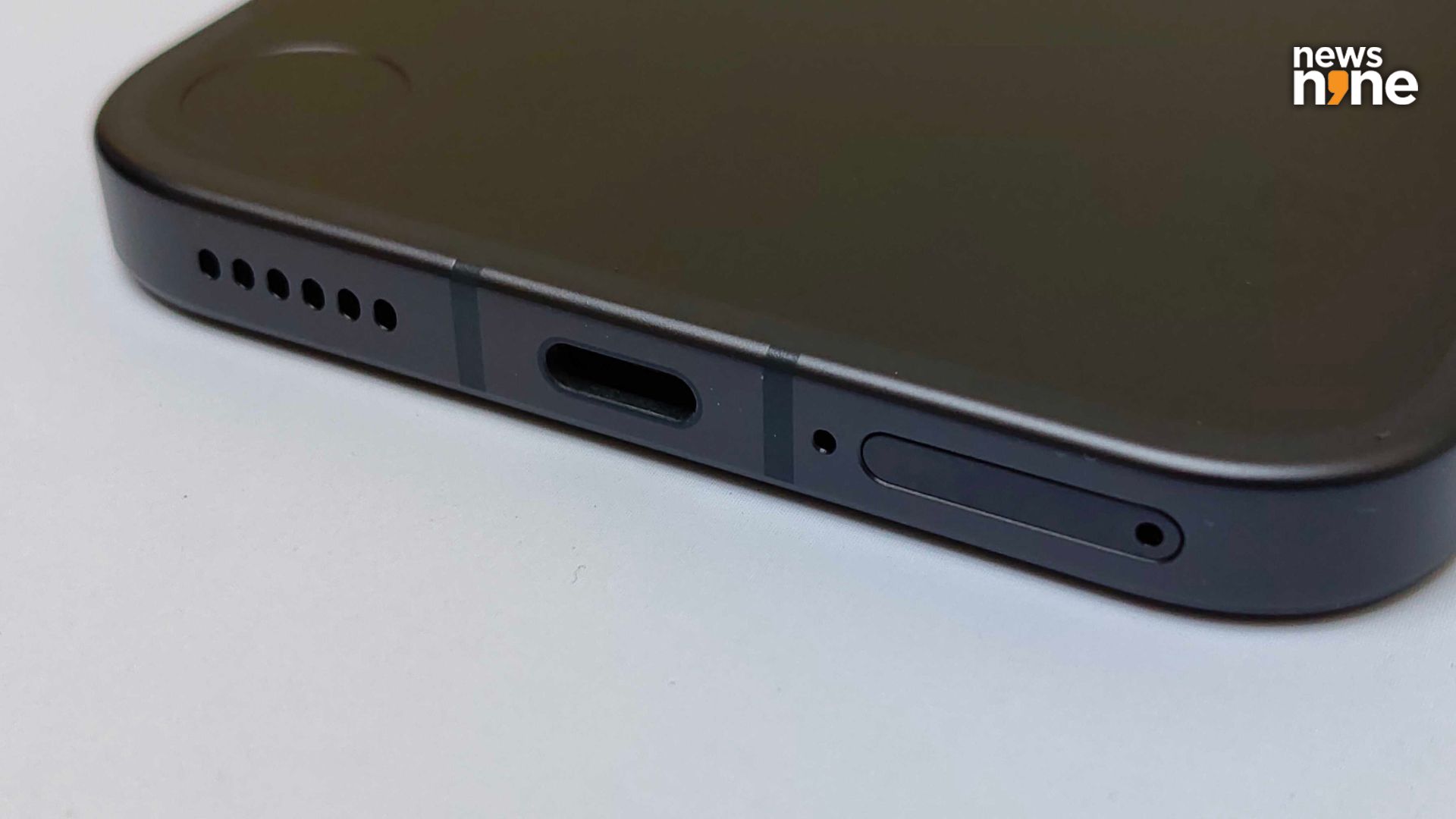
One problem we had was how close the mic is to the sim tray, it is easy to put the Sim Ejector Tool into the mic! (Image Credit: Aditya Madanapalle/News9).
On the front, the display is protected by Corning Gorilla Glass 7i, delivering twice the scratch resistance of previous generations. The device has an IP65 rating, and is available in three metallic finishes, silver, black and pink. The screen goes up to 5,000 nits in brightness, which is a great feature, which we found makes the device super comfortable for outdoor use. You do not have to find a tree or truck for shade to book a cab. Overall, the design of the 4a Pro feels intentional and less jarring for those who want a device that is funky but not too much. It has a minimal, retrofuturistic design that extends to the software as well. The device sports a nice balance between playful elements and the maturity expected from a serious, utility-oriented, long-lasting smartphone.
Nothing Phone 4a Pro Performance
The 4a Pro delivers a solid mid-range performance, powered by the Qualcomm Snapdragon 7s Gen 4 chipset fabricated on a 4nm manufacturing process. This SoC features an octa-core CPU configuration, with one prime core clocked at up to 2.8 GHz, three performance cores clocked up to 2.4 Ghz and four efficiency cores clocked at 1.8 GHz. This is paired with the Qualcomm Adreno 722 GPU. Nothing claims scheduler and OS optimisations that improve GPU performance and power efficiency. Some synthetic benchmarks are embedded below.
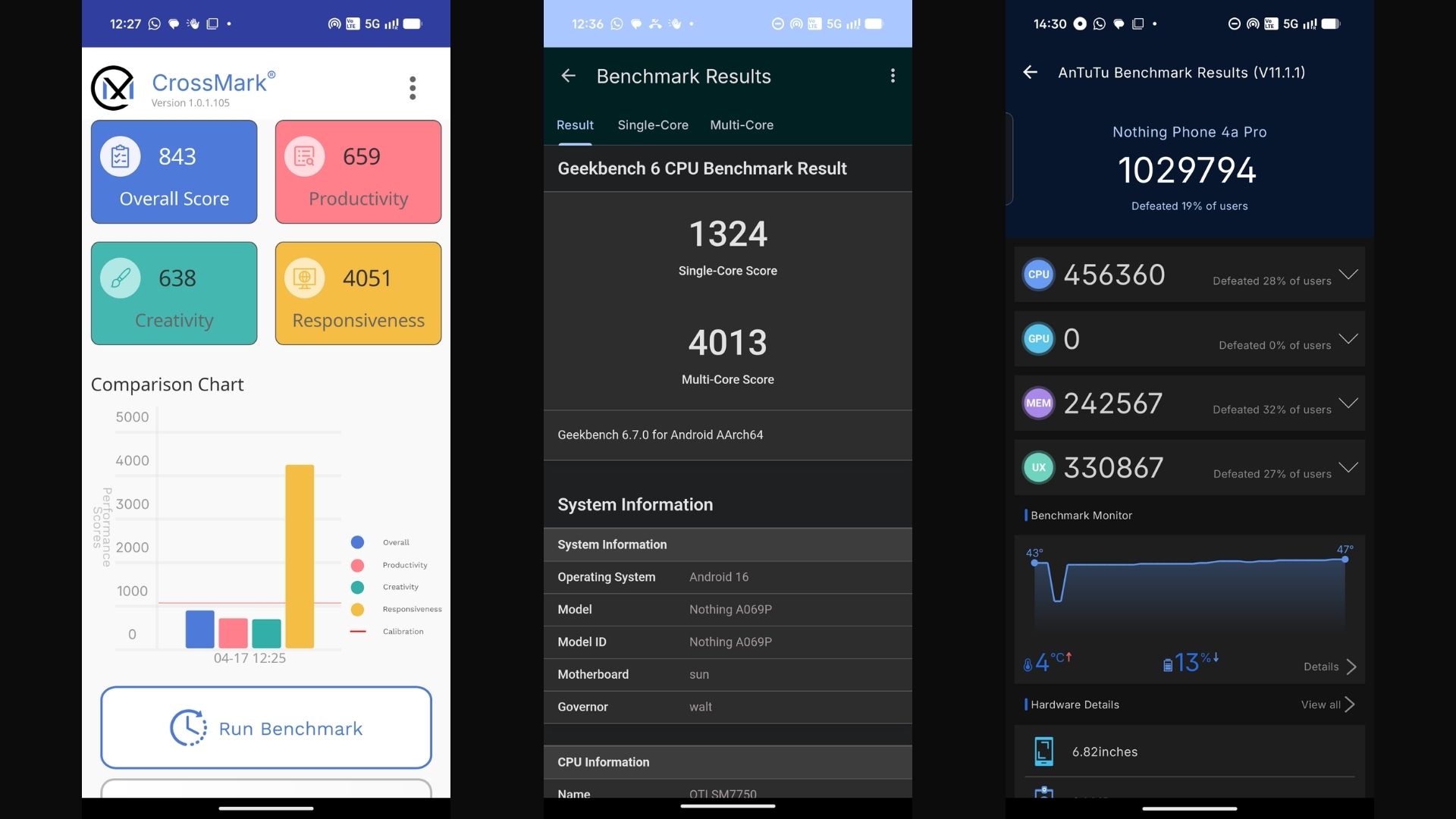
From left to right, scores of the Nothing Phone 4a Pro on Crossmark, Geekbench and AnTuTu. (Image Credit: Aditya Madanapalle/News9).
The LPDDR5X RAM is available for both the 8 and 12 GB versions of the device, which can be paired with 128 or 256 GB of onboard storage. Out of the box, the device feels ultra-smooth and responsive. The apps launch rapidly, the multitasking is smooth, and the load times are minimal, even for the larger games. Regular use, including scrolling, browsing, rapid switching between apps and video streaming are all an incredibly smooth, painless experience. We also found that the read speeds of the device are incredibly fast, and we could move a large number of videos and photos fairly rapidly from the smartphone to a connected computer. The raw performance of the 4a Pro positions it competitively with the other devices in the segment.
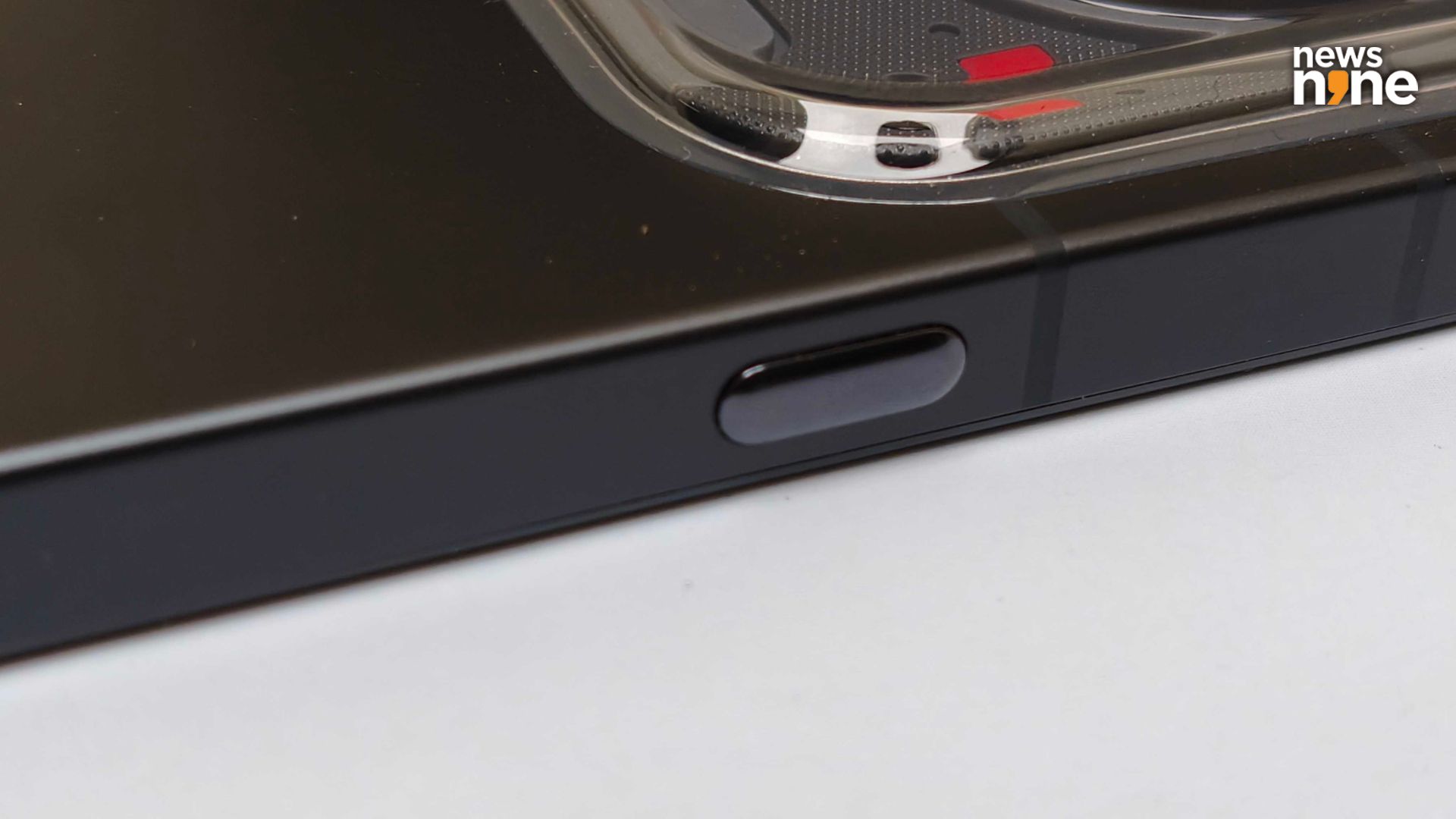
The Essential Space button on the right has a distinct shape and feel from the other buttons. (Image Credit: Aditya Madanapalle/News9).
The battery takes 10:45 hours to drop to 15 per cent from 80, and juices back up to full capacity in 30 minutes. The aluminium unibody improves heat dissipation, aided by a vapour chamber. The thermal performance of the device is great, and we noticed that it does not heat up even under heavy, sustained load for regular use cases, that is extended gaming. However, when you stress test the device, it does get warm, the entire back heats up evenly, the sides heat up a bit more though, but again, the heat is evenly distributed. This is an expected amount of warming, the phone remains comfortable to hold, much more so with the case on, and the performance remains consistent. The temperature also drops sharply once the device stops being stressed.
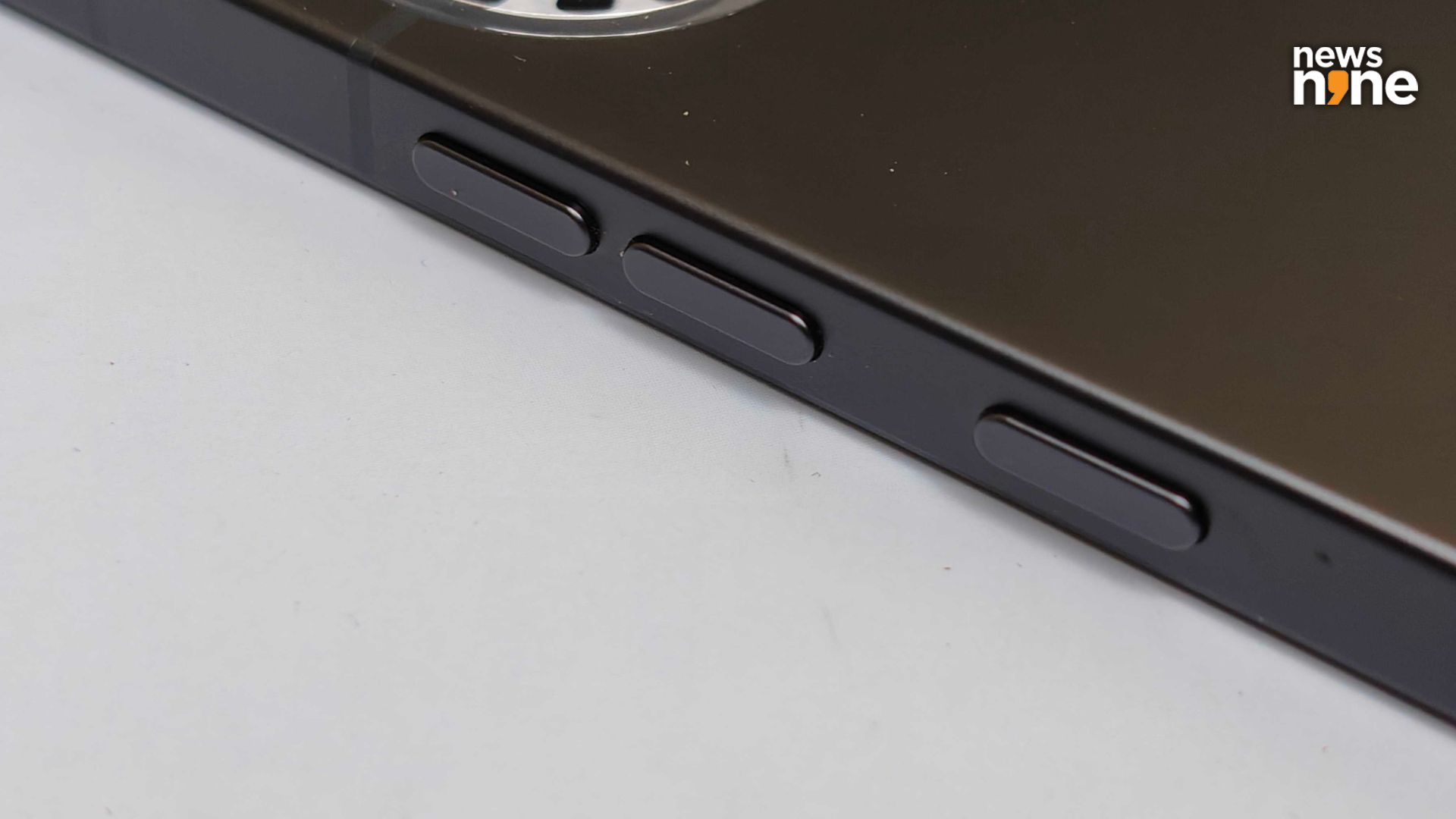
The Volume Rocker and Power Buttons on the left. (Image Credit: Aditya Madanapalle/News9).
Coming to the Glyph Matrix, we have never really seen secondary displays on the back side put to good use, because of a lack of customisation features, or a lack of third party integrations. There are a few options of what to put on the display, including a digital toy. There is a Glyph progress feature that works with Uber, Zomato and Google Calendar right now. A watch was the most useful function for us. Users can set four labels of brightness for the Glyph Matrix. A bedtime schedule turns off the Glyph Matrix at night. You can download additional Glyph Toys that include some really good community-made ones. We wish there were more on-device customisation options though. Considering the long battery life of the device, we felt comfortable using the Glyph Matrix in the daylight hours.
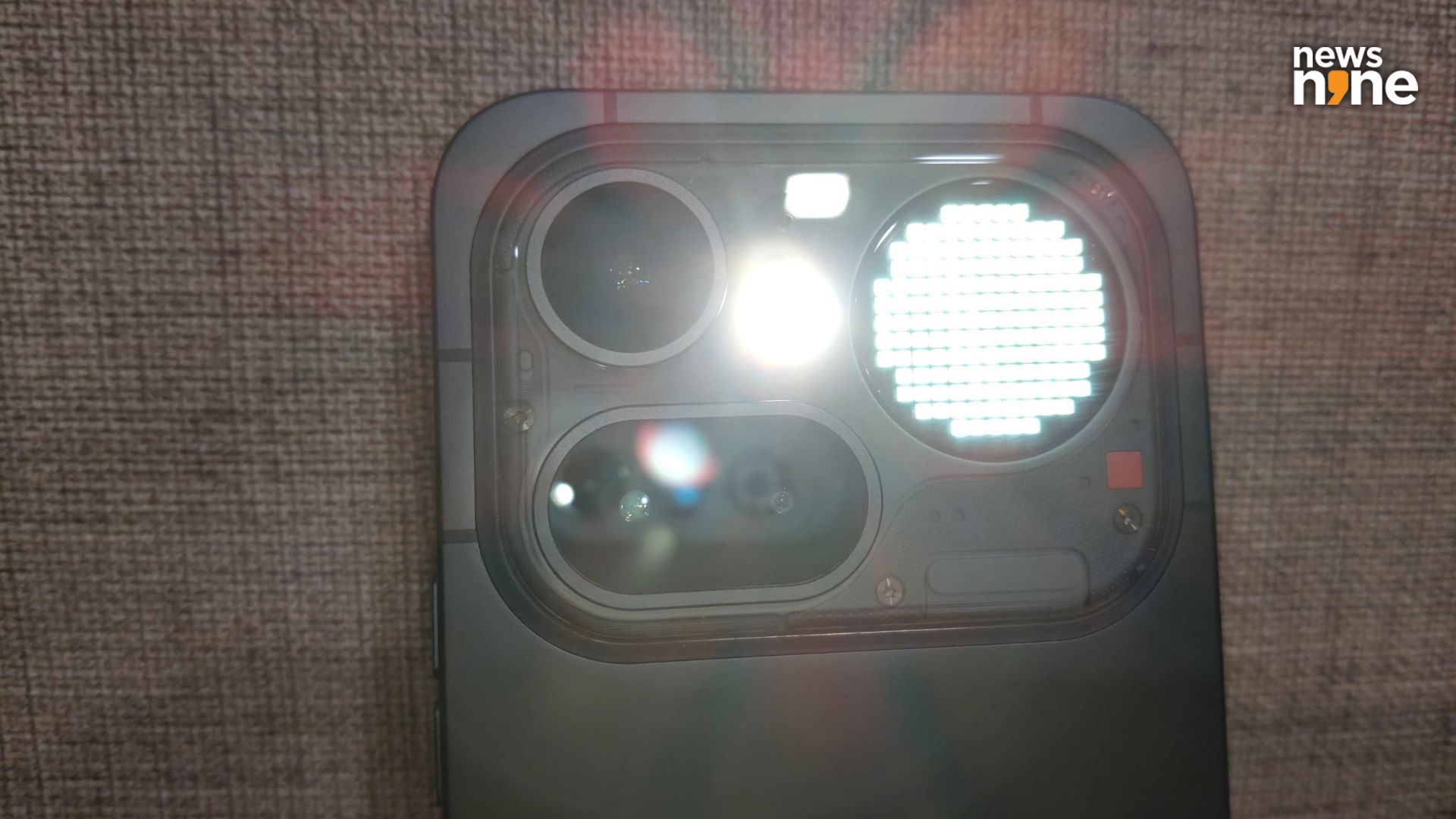
The Glyph Matrix torch is a killer feature. Very useful in a range of situations. (Image Credit: Aditya Madanapalle/News9).
One killer feature that we really liked is the torch. The 4a Pro has two torches! One is the regular torch, used as the camera flash. The second is the Glyph Matrix, with all the pixels lit. Either can be used individually, and both can be used together. The Glyph Matrix torch only adds a bit to the light of the primary torch. The Glyph Matrix torch on its own is a dim light, sufficient to navigate a dark room, and it provides illumination without being as disturbing as a flash.
There is a primary shooter, a periscope or zoom camera, and an ultrawide camera on the back, capable of capturing images in 50 MP resolution. On the front is a 32 MP selfie camera. The ultrawide camera comes in handy if you are too close to the subject, or want to cram in more of the surroundings. The periscope camera is impressive with 3.5x optical zoom, 7x in-sensor zoom and a staggering 140x ‘Ultra Zoom’. The phone does a good job of stabilising the image, and captures great quality videos as well, so you really can get up-close to the action. Now nothing offers a versatile camera kit that provides you with plenty of room to experiment.
The expert mode that gives you granular controls. By default, the images are stored like the frame of a film strip, with a date stamp and the settings used. Nothing’s dot-matrix typography is used. Normally, these irritate me and I get rid of them, but the implementation by Nothing is practical as well as aesthetic, so I just kept them. I do not care much for filters now, but at one point of time, I did, and I particularly liked the ones that replicated retro images or the look and feel of particular photographic films. The user interface and the type of filters that Nothing has included reminded me of those apps (RNI Films, FIMO). These filters really go well with the whole retrofuturistic aesthetic of the phone.
One of the things that we really liked about the device was the top notch software experience. I had gotten intriguing glimpses of it from the predecessors, the Nothing Phone 2a and the Nothing Phone 3a, but I had not reviewed these devices and thought of them as just another skin. I had no idea how differentiated the whole experience is from a typical droid. There is no bloat. The pixelated theme runs throughout the device, right from the animation of the fingerprint sensor, to the clock, calendar and recorder. If you like customisation, then this is a device for you. There are a ton of widgets to explore for the home screen. The App Drawer uses AI to categorise the apps automagically, so that you do not have to waste time sorting apps.
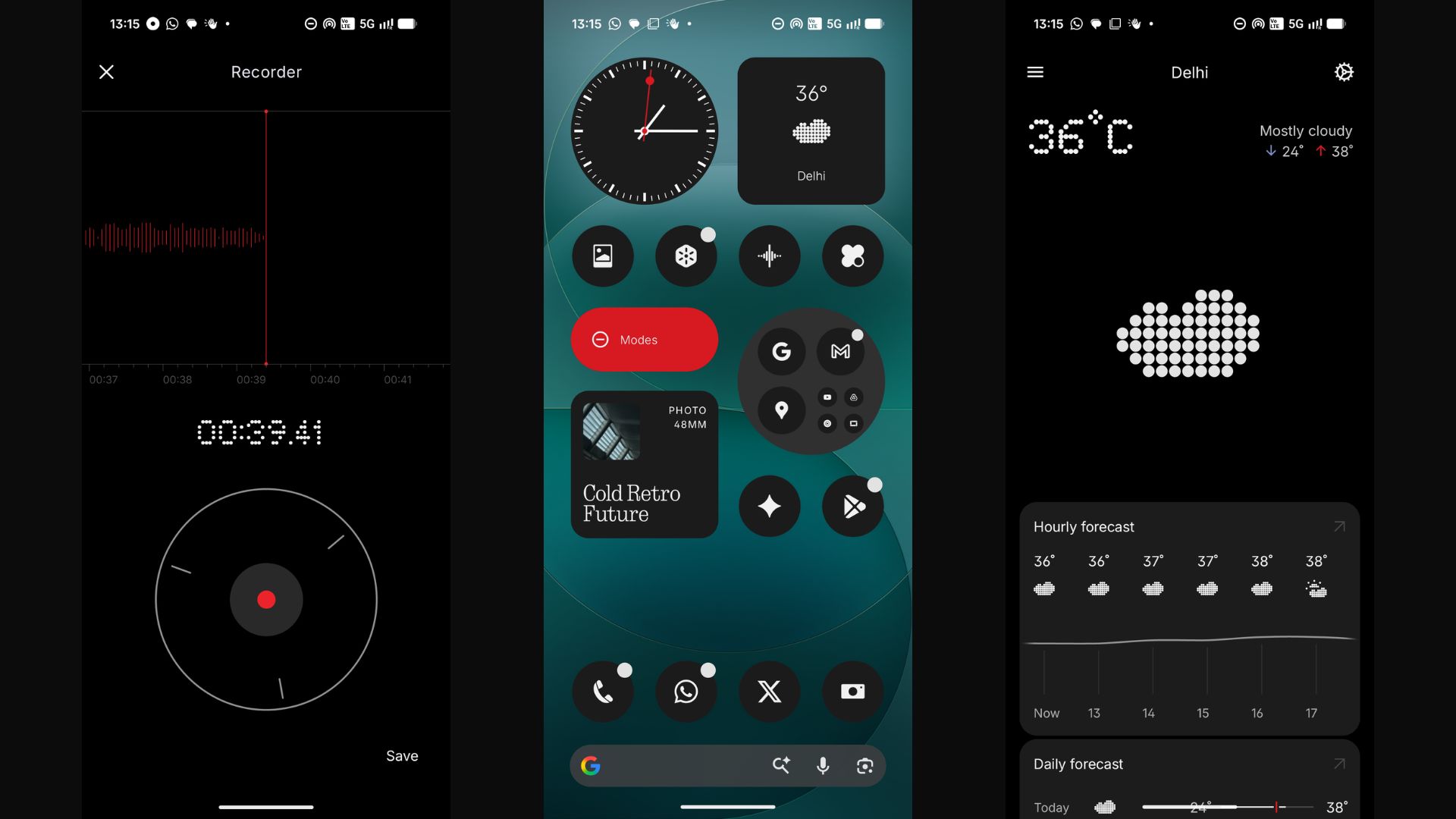
We really liked the UI of this phone. (Image Credit: Aditya Madanapalle/News9).
One app that made my life a lot easier is called Space. Now I use Keep by Google for notes, and was looking for the default notes app when I found Space. This is not a notes app, it is something else. What you do is you capture a note in the form of a screenshot, it can be your notes on Keep, a post on social media, or an article you are reading. To do this, you double press the dedicated button on the right for Space, which captures the screen, then press the button again to save a note… this is something that you want to remember, such as a launch, event, conference or announcement. Then, the app uses AI to automatically create a calendar for you. This can be synced with your Google Calendar, and ensures that you never miss a thing. This Space app is incredibly useful for a journalist.
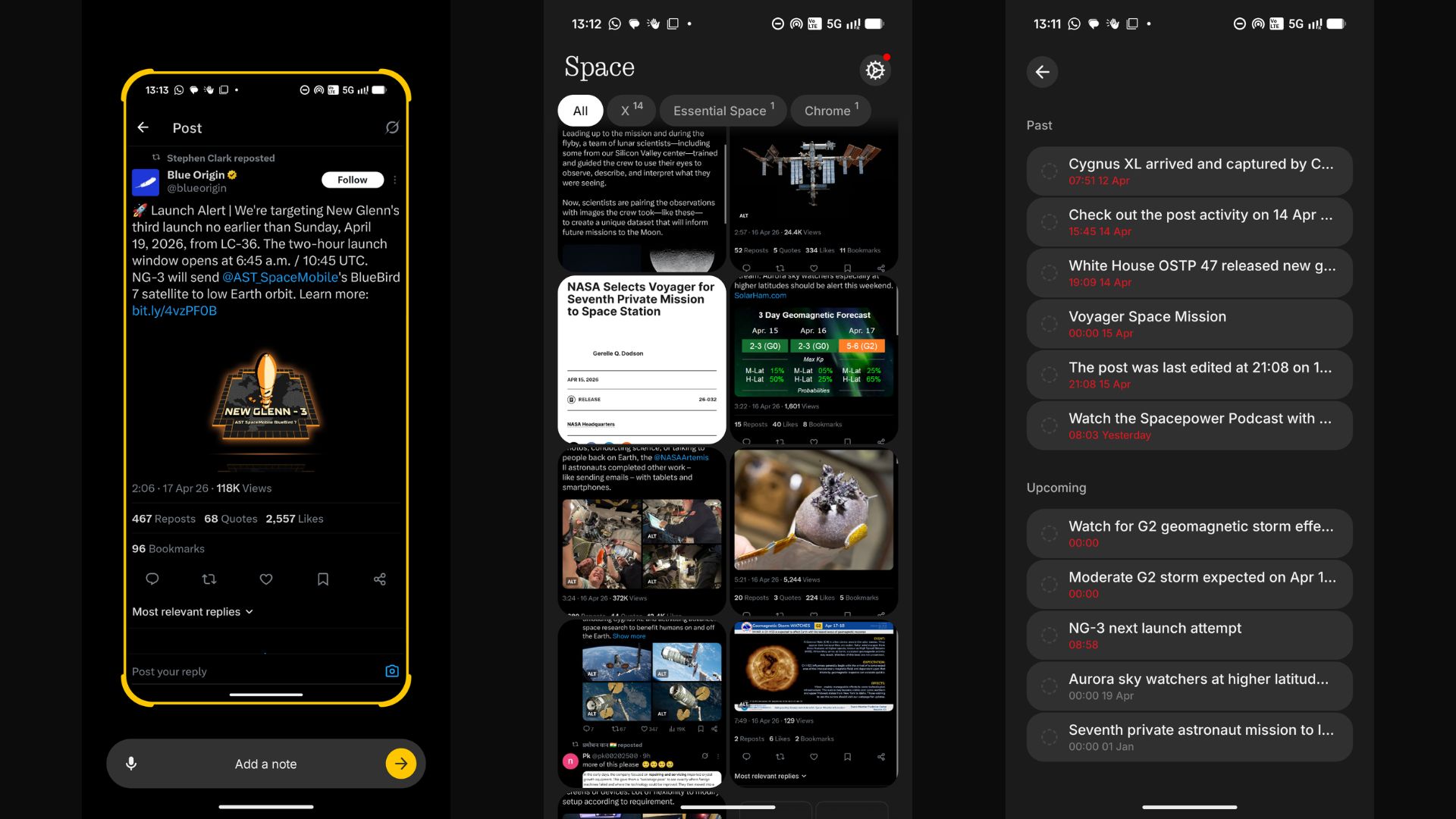
How to use the space app. (Image Credit: Aditya Madanapalle/News9).
Verdict
This time around, Nothing has fixed some of the shortcomings of the predecessors. The images are not overprocessed, the screen is sufficiently bright and vibrant, and the battery life is decent. Design is one of the strong points of the device, and is something that Nothing clearly excels at. The Phone 4a is an incredibly refined and sophisticated smartphone. After discounts, the 128 GB version is available for Rs 40K, the 256 GB version for Rs 43K, and the top-of the line 256 GB version with 12 GB RAM (as against 8) is available for Rs 46K, but most of them are sold out on Flipkart. There are additional bank offers available. We just want to put a shoutout here to the Infinix Note 60 Pro that provides an ‘Active Matrix Display’ similar to the Glyph Matrix at a price point that is around Rs 10K cheaper.
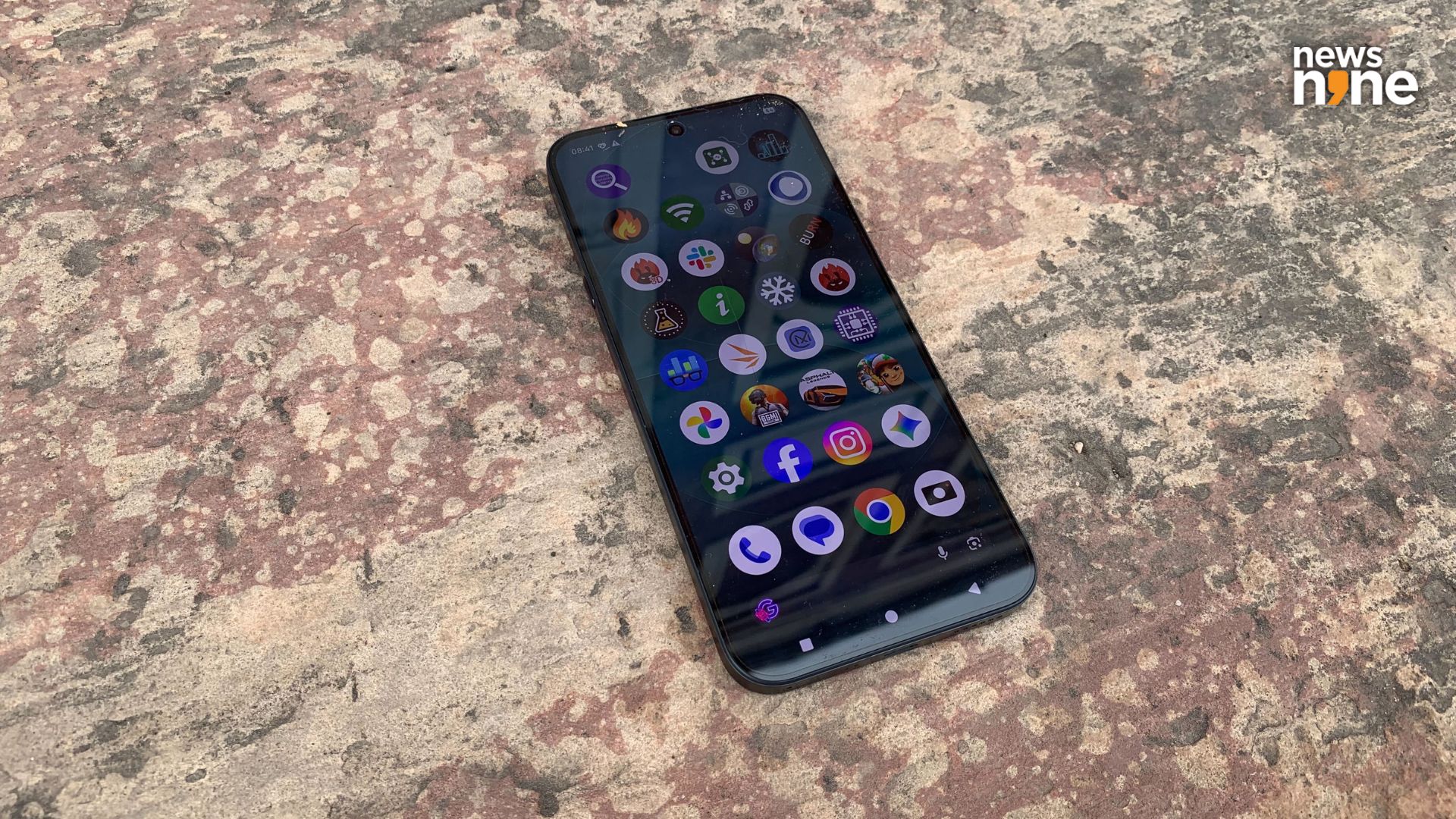
The display holds its own under direct sunlight. (Image Credit: Aditya Madanapalle/News9).
Now there are a bunch of phones available in the market with the Snapdragon 7 Gen 4 processor, starting at price points around Rs 30K. Now a 32MP selfie shooter is good enough for most use cases, and it features a wide angle lens as well. The battery life is nothing to boast about, and there are devices on the market that have higher capacity 6,500 mAh batteries, while the Phone 4a features a 5,400 mAh battery in India (the international capacity is lesser, at 5,080 mAh). The charging up speed on the Nothing 4a Pro is 50W, which was fast enough for us but Vivo offers 90W Super Flash Charging and Oppo offers 80W Super VOOC Charging for devices in the same range. The base version of the Phone 4a Pro is competitively priced to these options though. Note that the box comes with a cable, but no charging adapter, and there is a really cool, capsule-like sim ejection tool as well.
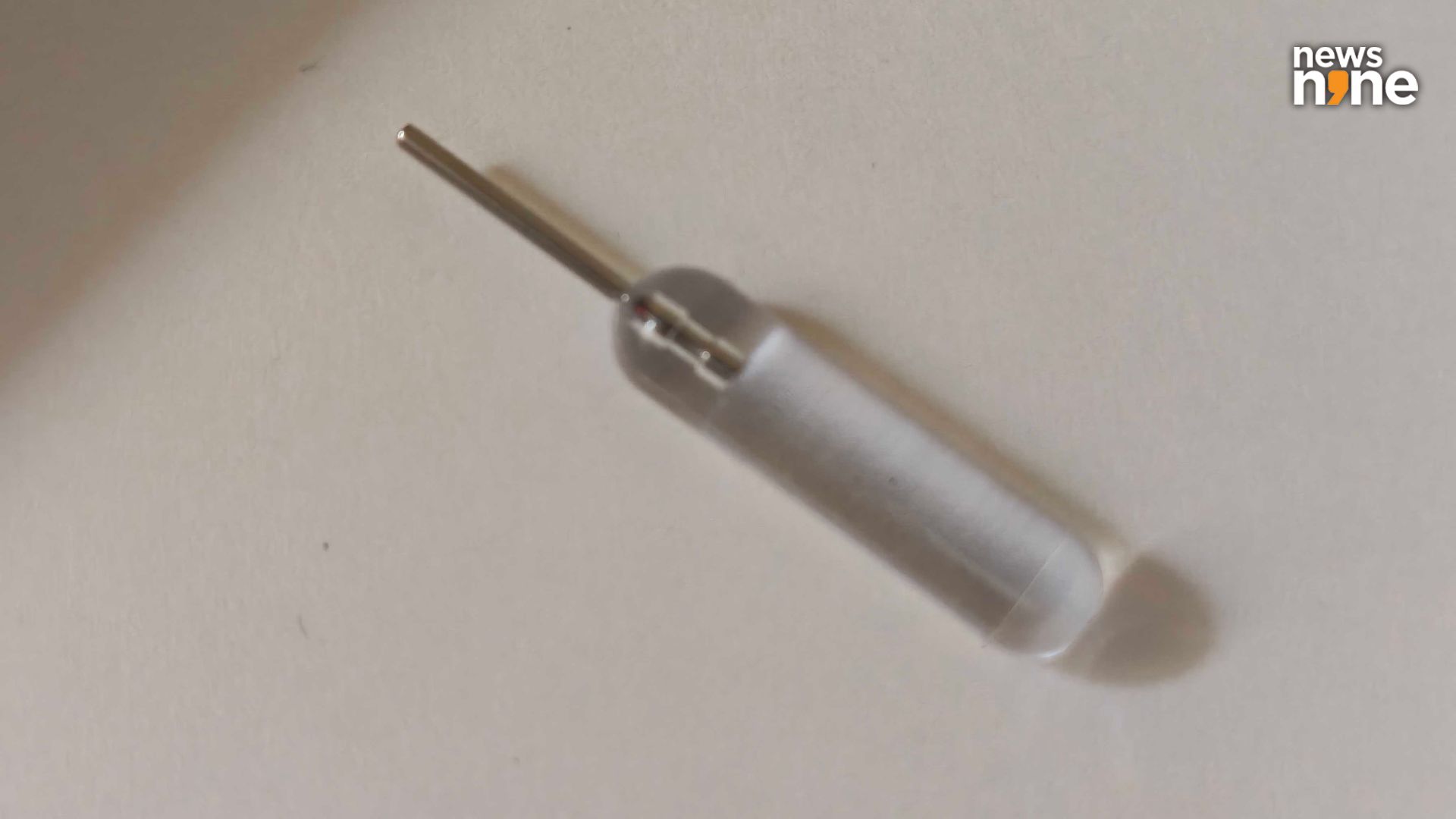
The Nothing Sim Ejection Tool. (Image Credit: Aditya Madanapalle/News9).
The apps from Nothing really elevate the whole user experience. The Glyph Matrix torch is a low-power torch that can come in handy in a wide range of situations where you do not want a bright light, such as finding something at night or looking into a bag in a dimly lit setting. The Glyph Matrix is eye-catching and makes the device stand out. The Google services are well integrated. The device provides you with a clean, bloat-free Android experience, with a unique design. The pixelated look and minimalistic design elements makes you think like you are using a variety of low-quality screens, from different points in time. We really liked how differentiated the whole user experience is from a typical Android device. The Nothing Phone 4a Pro is a solid mid-range contender, and an easy recommendation.