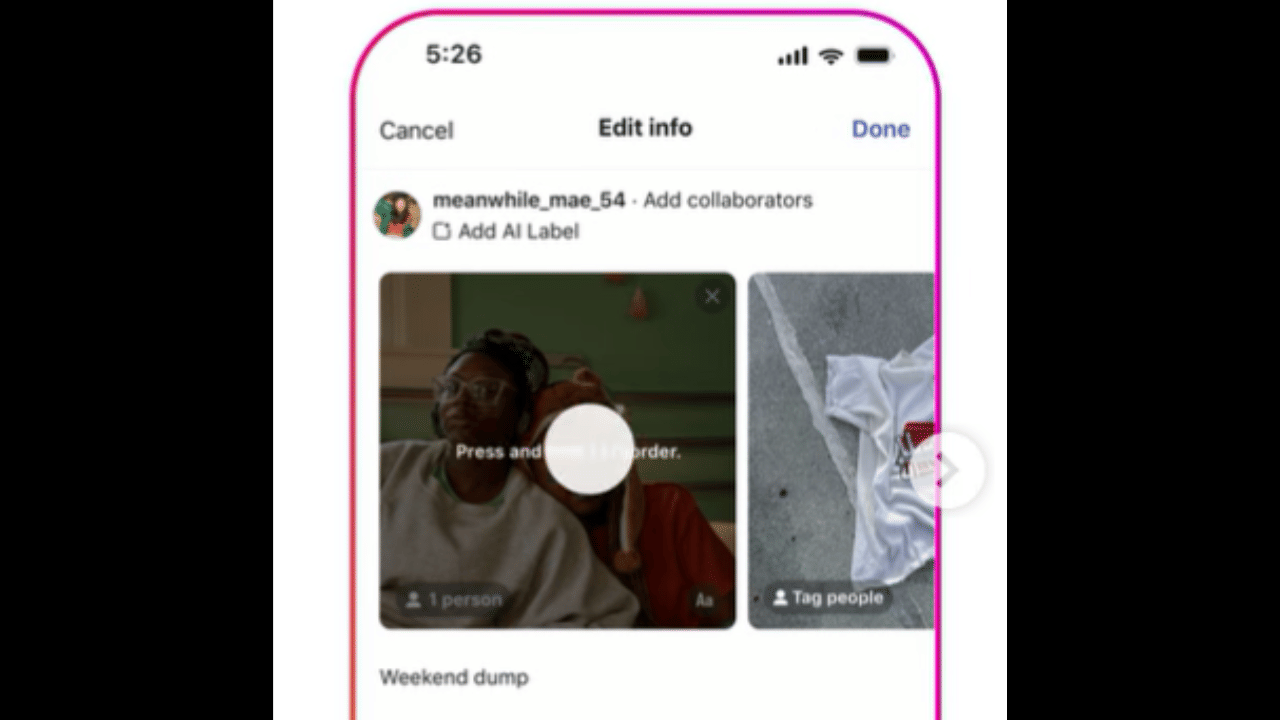
New Delhi: Instagram has rolled out a popular new feature that lets users rearrange photos and videos in carousel posts even after they go live. Many creators and regular users have asked for this option for years. Before now, the only fix for a mixed-up order was to delete the entire post and upload it again from scratch. That often meant losing early likes and comments.
The update brings simple flexibility to carousel content. Users can now tweak the sequence directly on published posts without any drop in engagement. Instagram confirmed the change is one of its most-requested updates.
Why this feature matters
Carousels are a favorite format for sharing stories, tutorials, or photo dumps. A single wrong order could bury the strongest image or video. The new tool removes that frustration and saves time. It also helps keep older posts fresh without starting over.
Key things to know
Reordering does not reset or hurt likes, comments, or other interactions. The post keeps all its original engagement. However, users still cannot add new photos or videos to an existing carousel. The feature is rolling out gradually, so it may not appear for everyone right away. Updating the app and waiting a few days often helps.
How to reorder a carousel post
- Open the Instagram app on your phone.
- Tap your profile icon at the bottom.
- Select the carousel post you want to change.
- Tap the three dots in the top right corner.
- Choose ‘Edit.’
- Press and hold any photo or video, then drag it to a new spot.
The process works the same on Android and iOS. Short and smooth drags make quick changes easy. Once you finish, the updated order appears for all viewers right away. This small but useful update should make posting on Instagram feel less stressful for many users.