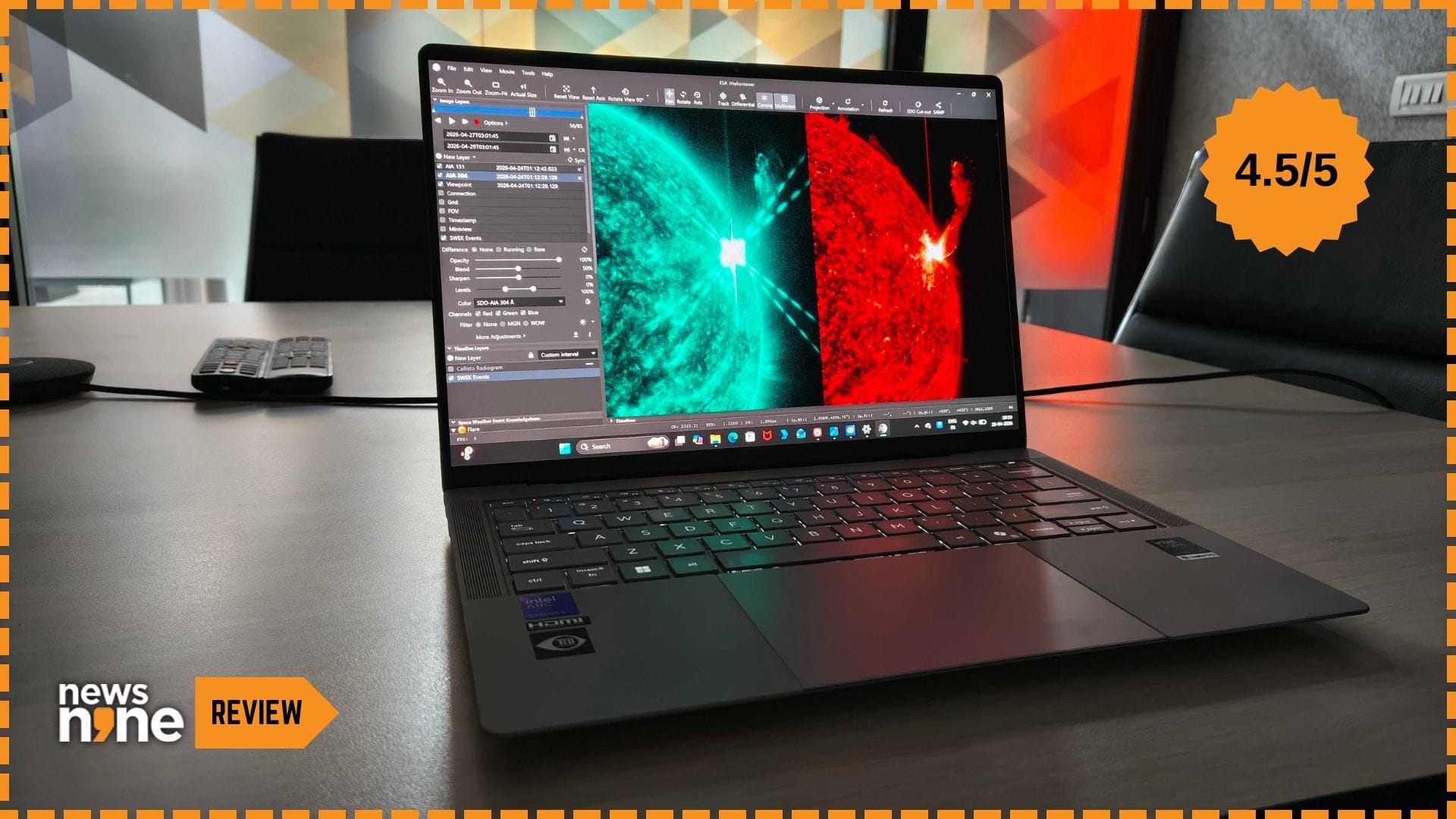
New Delhi: Business laptops are known to be modest, utilitarian, designed for professionalism and durability. They lack personality, and are often deliberately boring, which is a feature in the category. But then something like the Asus ExpertBook Ultra (B9406CAA) comes along, designed specifically for C-suite executives, an ultralight business laptop made with exquisite materials and packed with the freshest silicon on the market. This is a genuinely exciting business laptop, because what Asus has done is introduce a flagship that pushes well beyond the expectations from the category, in the form of a complete, finetuned package. Sure these are great specs, but what differentiates the device are the priorities and choices, that all increase the convenience.
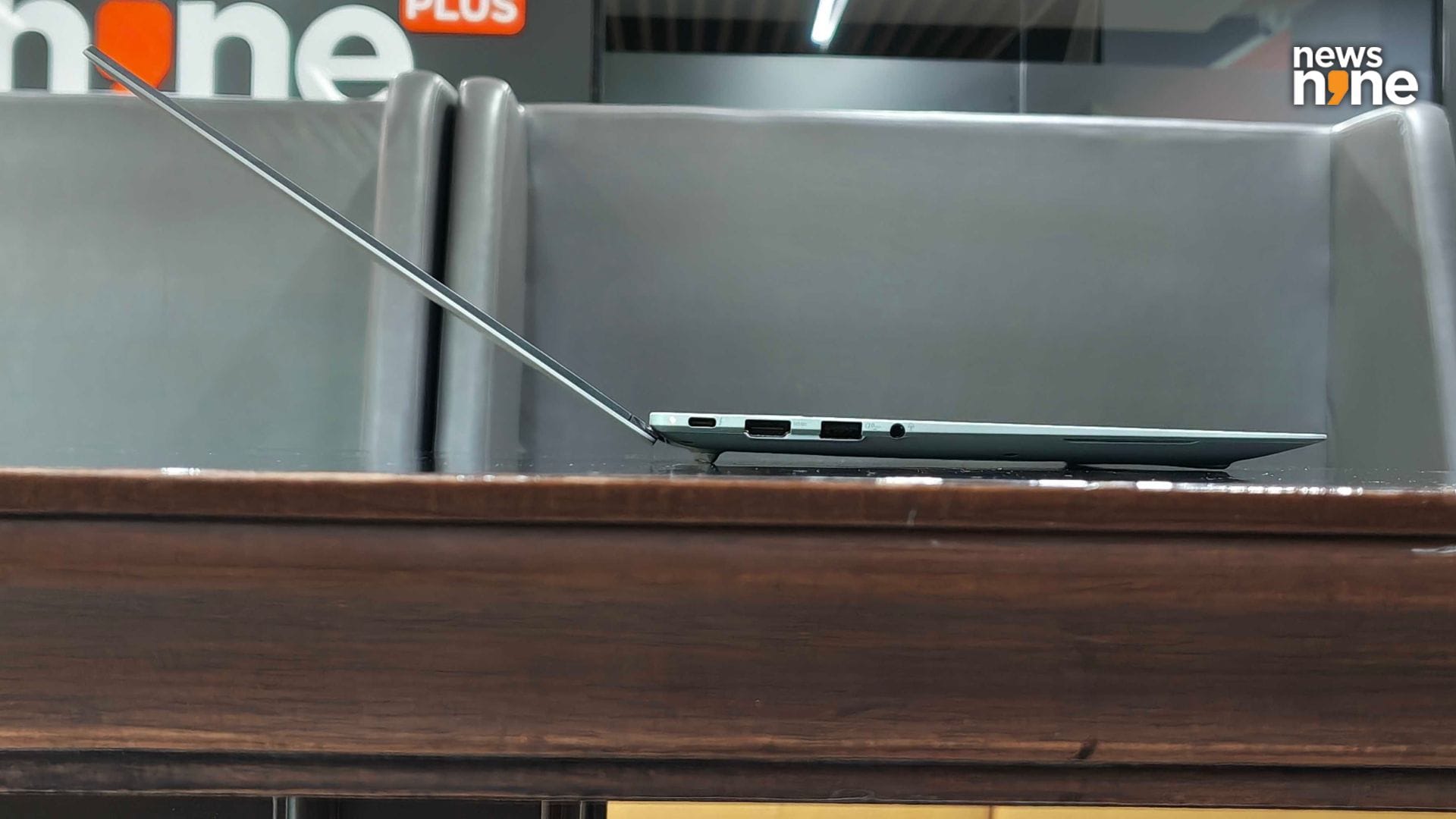
The laptop nearly disappears when seen edge-on. (Image Credit: Aditya Madanapalle/News9).
The design priorities of business laptops reflect the needs of companies, IT departments, and mobile professionals who rely on them for long hours of work, often in demanding environments. They tend to have a focus on productivity rather than entertainment, gaming or casual computing, but the ExpertBook Ultra excels at all of these. The ExpertBook Ultra, positioned by Asus as the flagship of the industry, was launched a week ago, along with an expansion of the ExpertBook lineup of business laptops. This is a laptop that is built to meet the requirements of business leadership, including CXOs, startup founders and MSME owners. Battery life is not a concern, the screen holds its own in complex lighting conditions, and the ExpertBook Ultra boasts of military-grade construction quality.
Asus ExpertBook Ultra Build and Design
This is a 14-inch laptop that is focused on mobility. It weighs less than a kg, and is just 10.9 mm thin. For a combination of lightness and durability, the ExpertBook Ultra uses a magnesium aluminium alloy, which is a material typically used in aviation and motorsport. The Nano Ceramic coating offers wear resistance against scratches and abrasions, and is easy to clean. The material does not feel entirely smooth, there is a slight roughness because of the ceramic coating. It is this coating process, which is controlled oxidation or essentially rusting, using an electrochemical surface treatment that gives the material the desirable properties, including making it the most scratch resistant metal laptop from Asus.
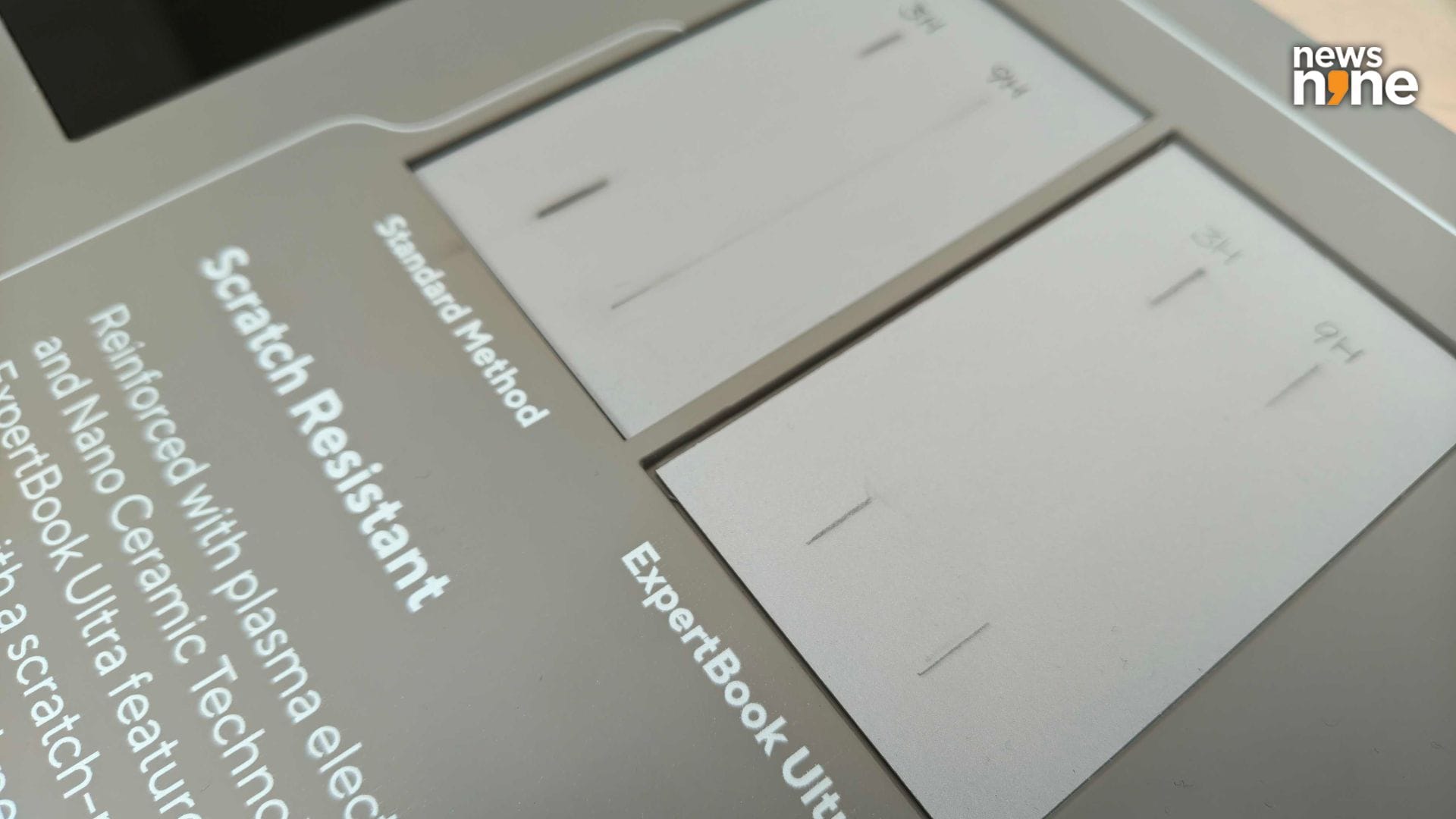
The scratch resistance of the material. (Image Credit: Aditya Madanapalle/News9).
The aerospace-grade alloy AZ31B used in the construction makes the ExpertBook Ultra lightweight, strong, ductile and resistant to corrosion. The Nano Ceramic Coating gives the ExpertBook Ultra a scratch resistance of 9H, which is about five times higher than the industry norm, at around 3H. There are two colour options available, Morn Gray and Jet Fog. We got the Morn Gray version for the review, and were happy with how much it pops. The colours emerge naturally from the coating process. The lid lifts up smoothly with a single finger, and we were pleased to note that the camera has a physical privacy shutter, which is a rarity among such ultralight laptops.
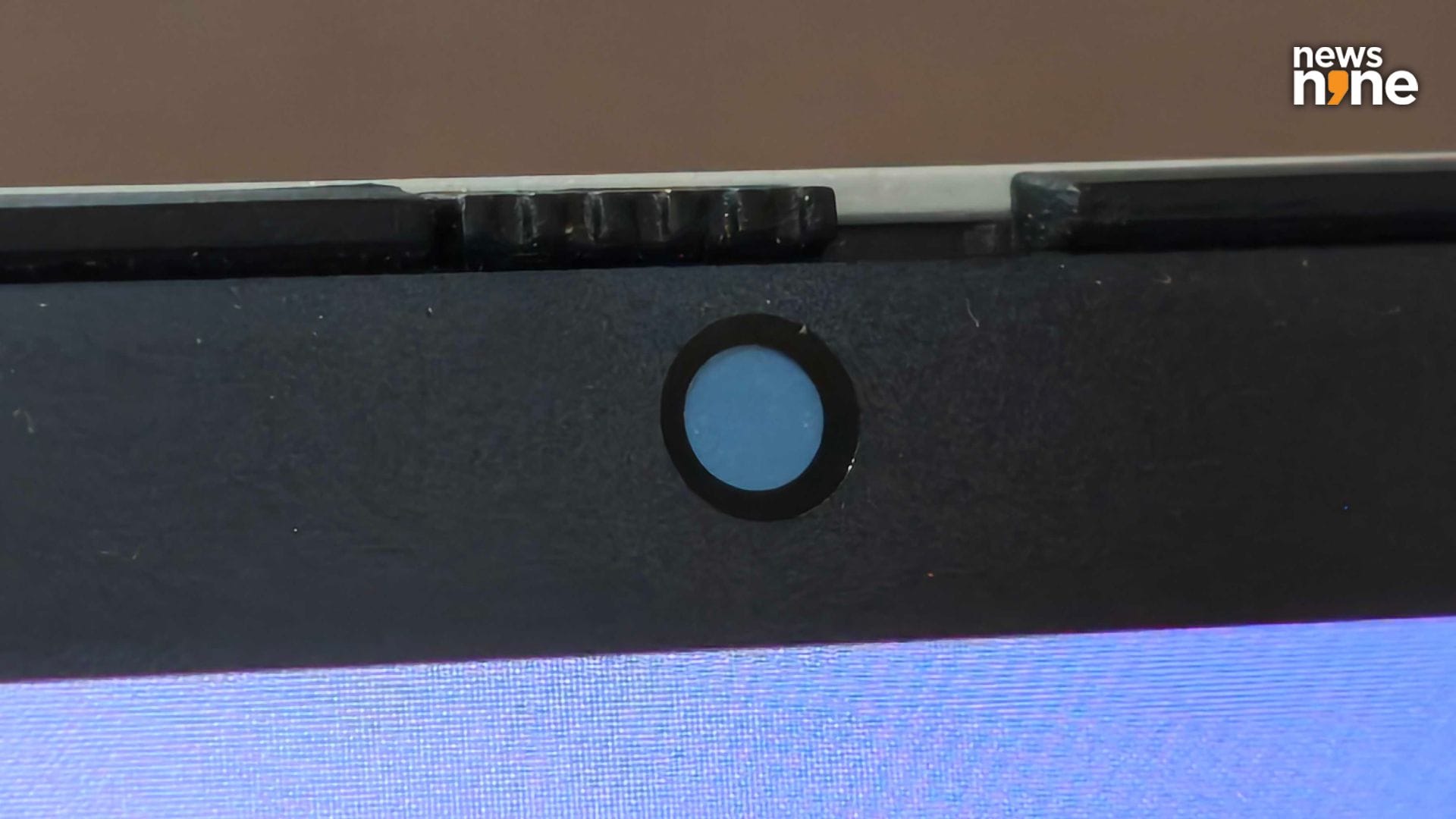
It is surprising to see a physical shutter in such a thin display. (Image Credit: Aditya Madanapalle/News9).
The trackpad is large and generous, placed right in the middle in relation to the keyboard, and extends all the way from the space bar to the bottom edge of the device. The power button is located on the top right corner, and has an integrated fingerprint sensor. It is differentiated by an extra white bar of backlighting that stays on even when the keyboard lights are turned off. This key is also more resistant to strikes, and needs to be pressed down deliberately, ensuring that you do not accidentally turn off the device in the middle of work. The keyboard has white backlighting with three brightness level control options.
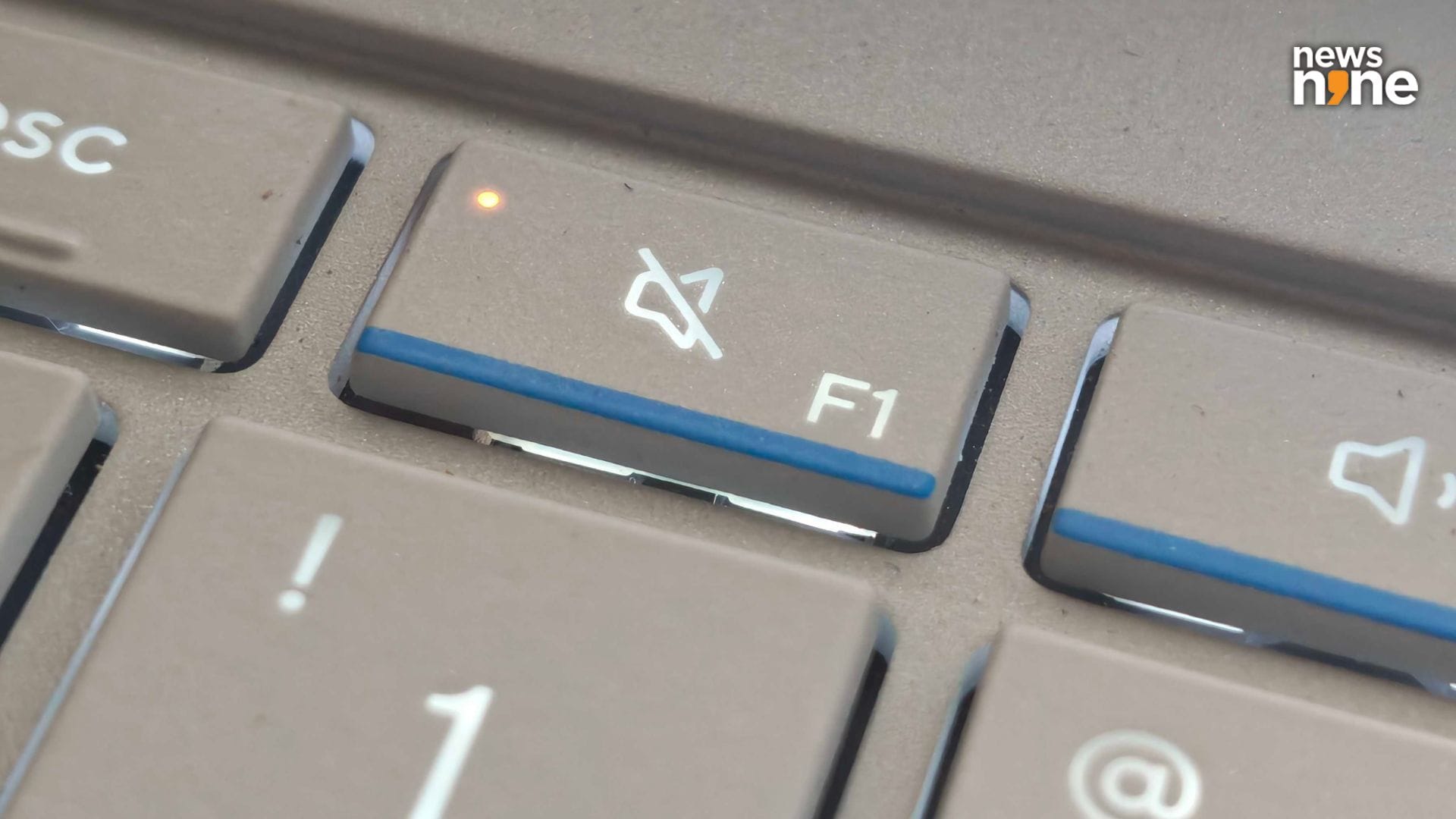
The mic and speaker mute buttons have red indicators on them. (Image Credit: Aditya Madanapalle/News9).
The key travel is 1.5 mm, which really astounded us. It is rare to get even 1.1 mm key travel for such light laptops that weigh under a kg. 1.5 mm key travel makes a big difference in the typing experience, replicating more closely the feel of a desktop computer keyboard. This keyboard really provides a comfortable typing experience, that allows you to type faster and get more work done sooner. We were also happy to notice a dedicated Print Screen button, which has become somewhat of a rarity nowadays. The top and down direction keys are a bit cramped. There are also blue highlights under the first four function keys. There are small red indicators on the mute and mic cutoff keys that are not visible unless these functions are toggled. These tiny lights do a good job of informing you at a glance about what settings are being used.
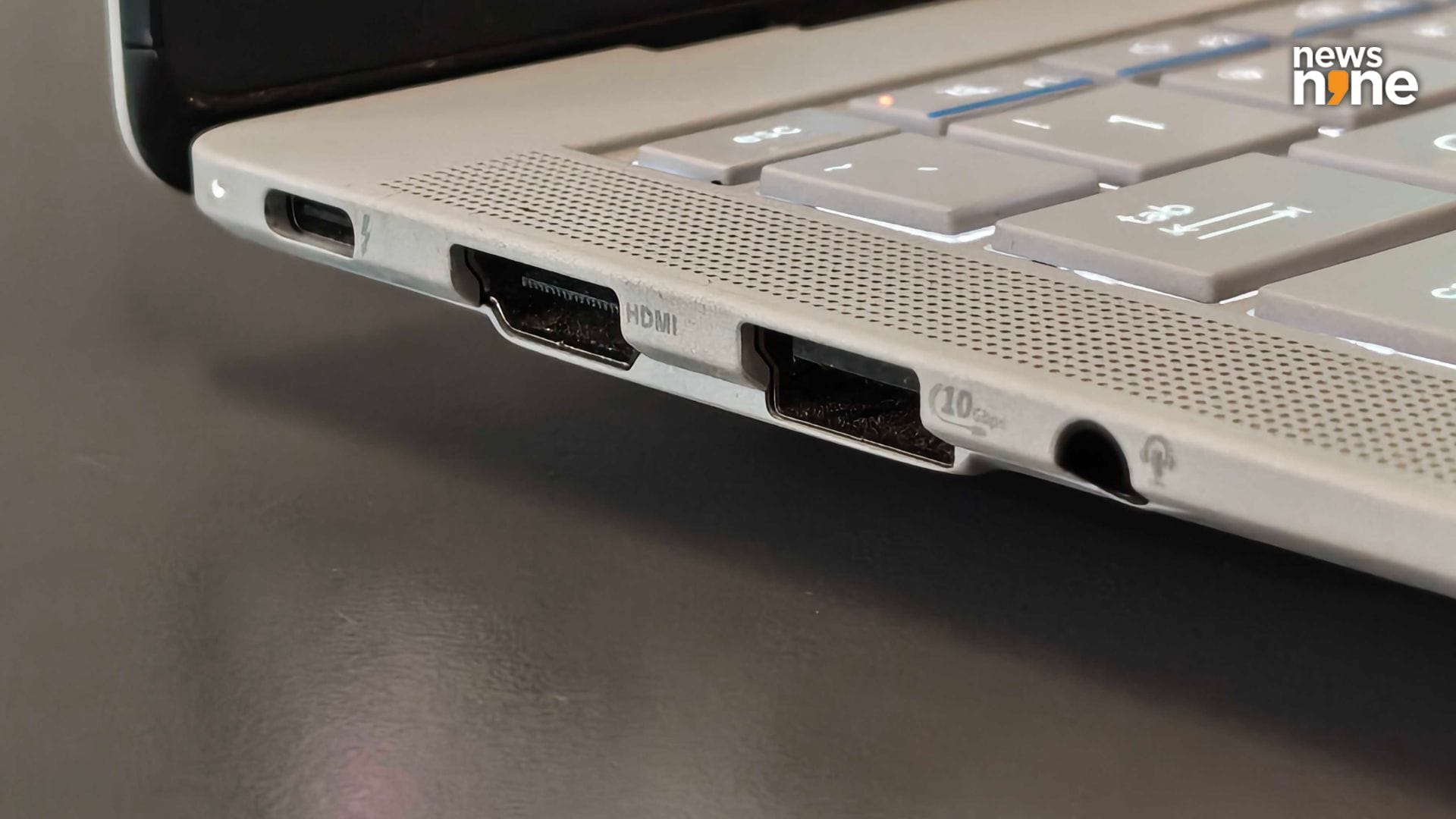
The ports on the left side. (Image Credit: Aditya Madanapalle/News9).
The haptic touchpad has six force sensors, so it is incredibly sensitive. The feedback is from a central vibrator that provides just a light and pleasing punch. The touch surface is glass. It is possible to easily and rapidly move across large portions of the screen using the touchpad. The lifespan of the touchpad is also extended because of a lack of moving parts, so there is nothing that deteriorates over time. The entire surface is clickable, but there is no clicking sound. The trackpad has a nice feel to it. The keyboard and trackpad are the part of the laptop that most people will use for the most time, despite the touchscreen display, and Asus has ensured that the experience is comfortable for sustained use.
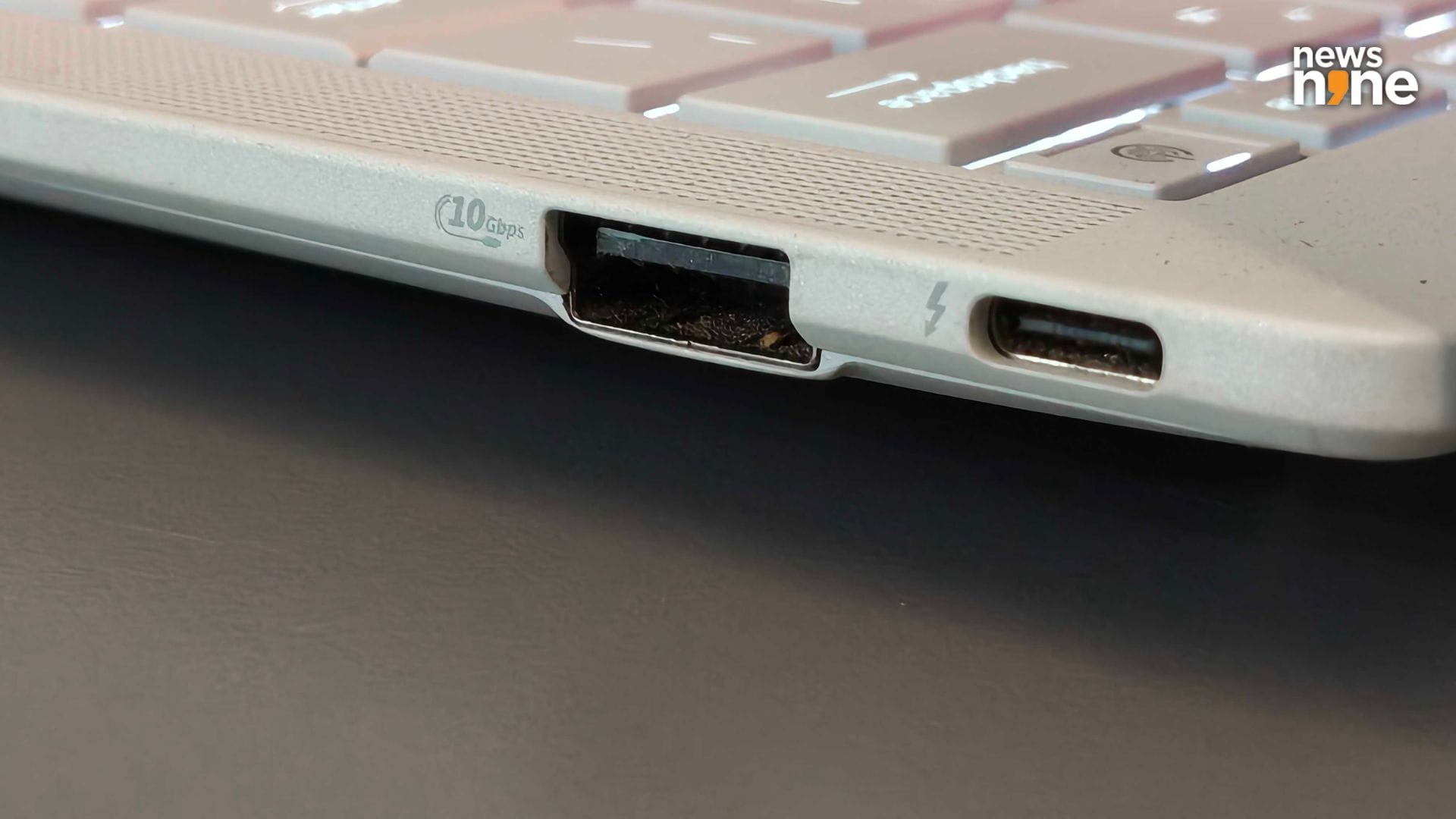
The ports on the right side. (Image Credit: Aditya Madanapalle/News9).
There are fine grilles on either side of the keyboard, that are cosmetic, the speakers have their own grilles. The two tweeters and four woofers are positioned along the sides, towards the ends of the grilles. We feel that the position is ideal, and the sound does not get muffled by the surface the laptop is on. One thing that Asus does really well here, above the competition is I/O port options. On the left side there is a USB-C port that can be used to juice up the device, an HDMI port, a USB-A port and a 3.5 mm audio port. There is a USB-C port and a USB-A port on the right side. Even the right side USB-C port can be used to juice up the ExpertBook Ultra, which we feel is great. The I/O setup is expansive, especially for the form factor.
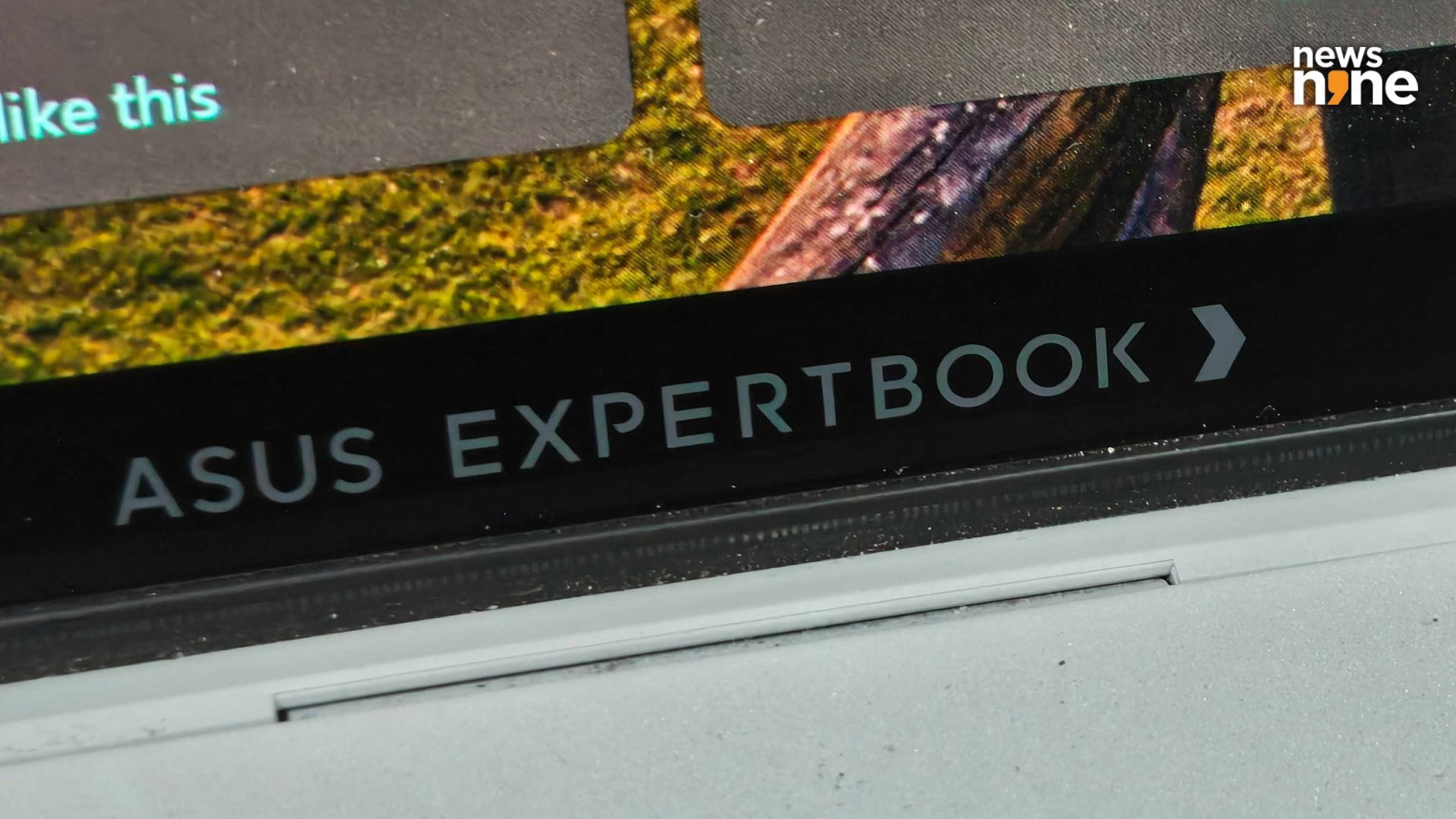
The ExpertBook branding on the display. The fine lights of the ExpertLumi strip are right below. Like almost every design detail on the device, Asus went through many iterations before reaching the final version. (Image Credit: Aditya Madanapalle/News9).
One killer feature that the laptop has that is unlike anything else in the market is the ExpertLumi lighting. This is a small strip along the bottom edge of the device that light up in certain contexts, and look incredibly geeky. They are designed to provide a ‘sense of ceremony’ while using the laptop, and Asus has indicated that it will be expanding the functionality in the future. At the launch event, we were shown an expansive list of lighting pattern options that Asus explored before finalising on the design. This strip lights up during logins, and we would really like to see more uses of the device, including a countdown, a clock, a battery level indicator or download percentage indicator. These are extremely fine lights, one of the many details that reveal the quality of the device.
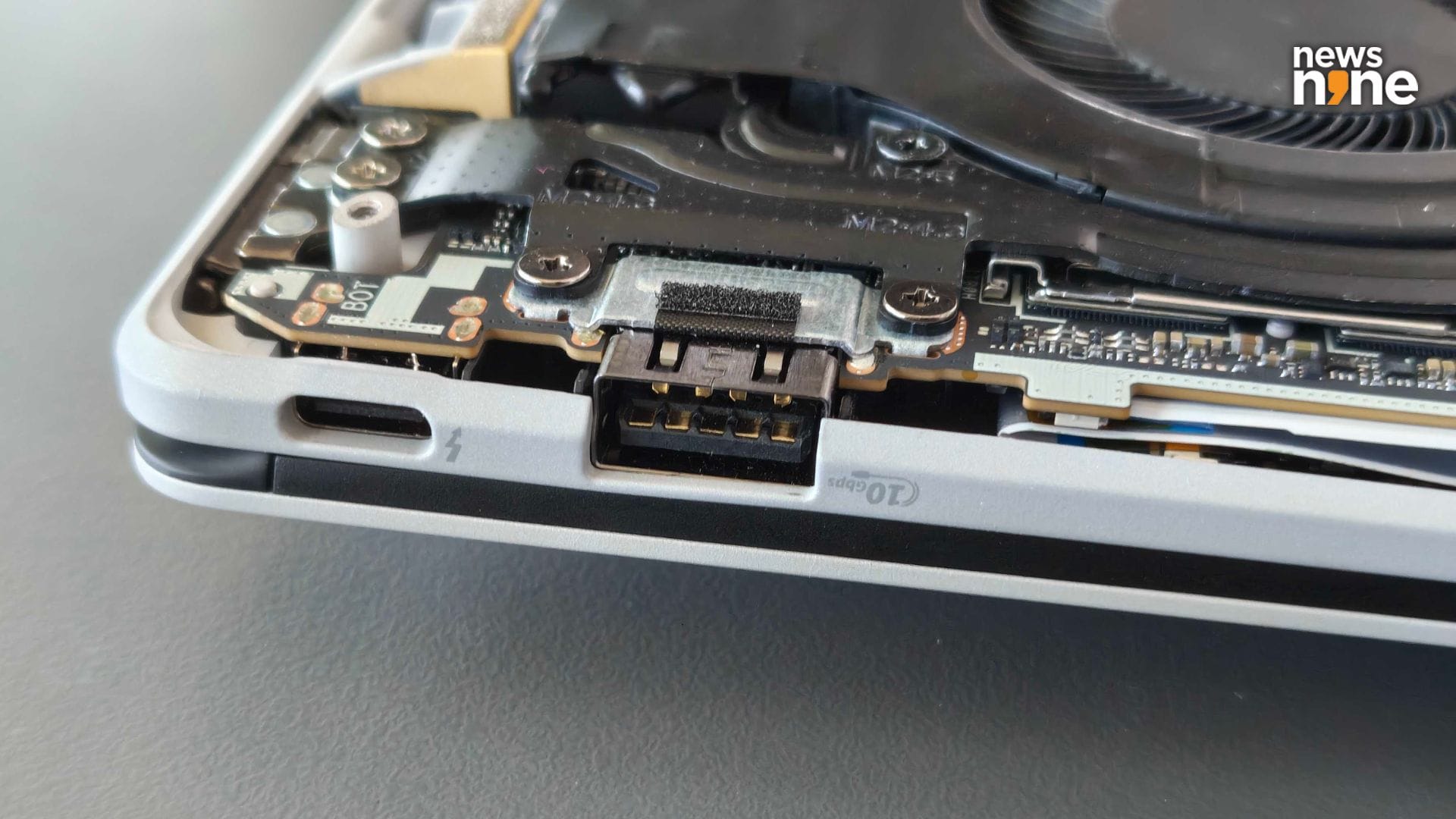
The ports have been reinforced so accidental tugs and jerks are not a problem. (Image Credit: Aditya Madanapalle/News9).
There are no vents on the sides of the machine, with all the vents positioned at the back. These are cleverly hidden away, and are very difficult to spot. The speaker grilles on the sides are also similarly discreet, and almost hidden away. The lid has just an Asus branding, with the ExpertBook branding on the base. The vents on the base also have an ExpertBook logo that catches the light. From the outside, the laptop looks slick and stylish, and does not look like a typical boring business laptop. As far as the design and construction goes, Asus checks all the boxes. This is a hardy, robust machine that is built for computing on the move in a variety of situations. Accidental spills and falls are not a problem at all. With the light weight, thoughtful, informative indicators and expansive I/O slots, Asus has crafted a differentiated and desirable laptop.
Asus ExpertBook Ultra Performance
The Asus ExpertBook Ultra is powered by an Intel Core Ultra X7 Processor, with Intel Arc B390 graphics, and the AI boost NPU. There is also a variant with the Ultra 5 processor, as well as the Ultra X9, which is not yet available in the Indian market. We got the top-spec model with a staggering 64GB of RAM and 2TB of onboard storage. The RAM cannot be upgraded, but you can choose the amount of memory you want. The storage can be upgraded through. This laptop could handle everything we threw at it, and sure the performance is spectacular, but the important thing is that the ExpertBook Ultra can sustain it. A few synthetic benchmarks are embedded below.
Asus ExpertBook Ultra 90W benchmarks by Aditya Madanapalle
It takes about 1:03 minutes to generate a 30 second audio on Audacity using Intel’s OpenVino Plugins. This is about 15 seconds faster than the norm in the form factor, but not something exceptional. We have seen devices with AMD’s Strix Halo processor cracking this task in under a minute. It takes about 3:11 minutes to generate a 512×512 pixel image on Stable Diffusion. This is on par or slightly better than laptops in the same form factor. The on-device AI capabilities are decent. One thing we noticed was that, when it comes to just productivity and multimedia editing, the ExpertBook Ultra is a beast. Loading up videos, editing and exporting are all fast and snappy. Just the pure productivity also improves when the laptop is provided its full 90W power draw.
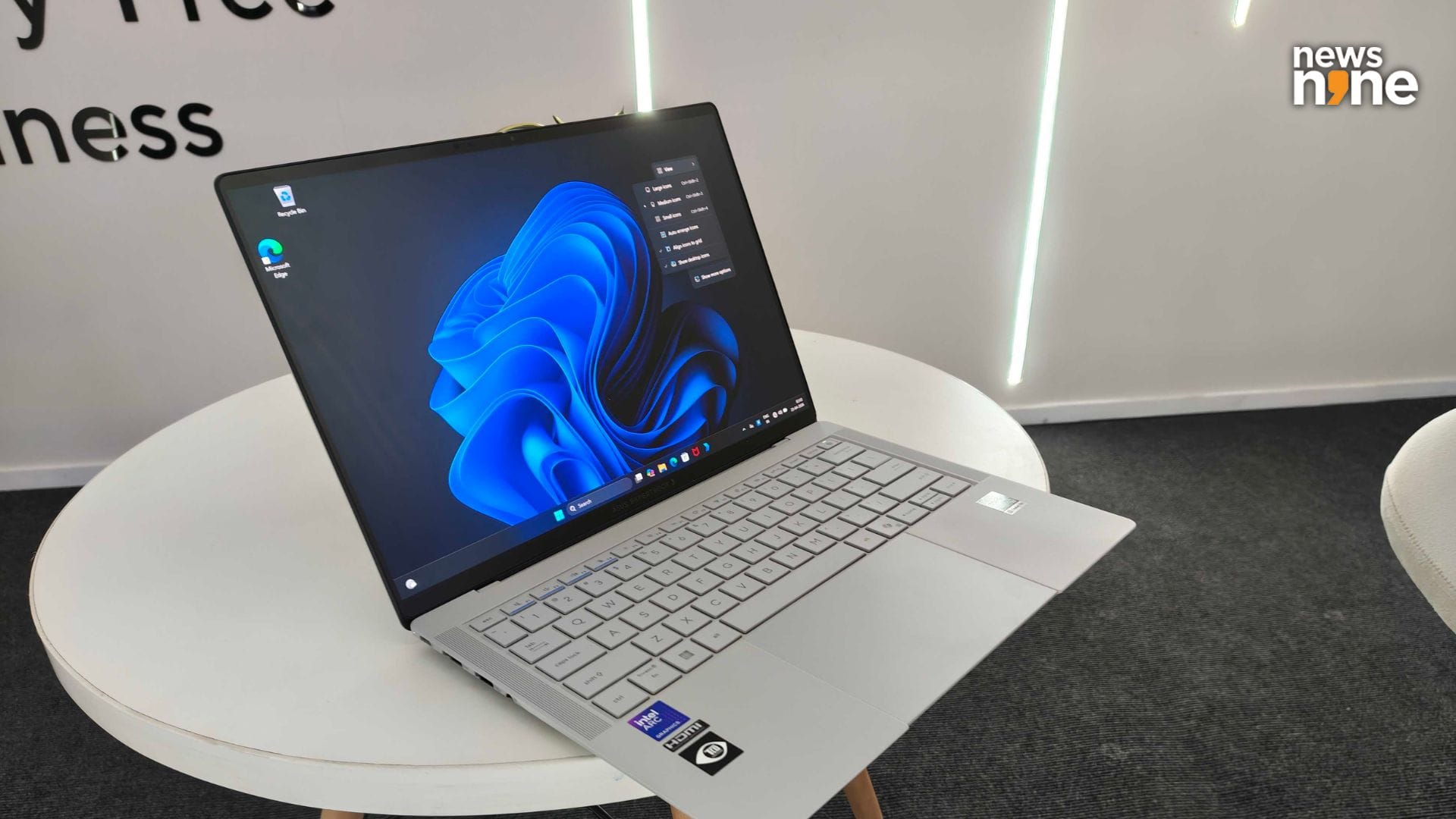
The ExpertBook Ultra can compute all day without needing to be juiced up. (Image Credit: Aditya Madanapalle/News9).
The sizeable 90W charging brick is quite large, not something super convenient to lug around everywhere you go. This laptop can be juiced up to a lot of power, if it wants to, more so than the flagship thin-and-light consumer laptops. This charger is a bit bulky to carry around, but improves the performance quite a bit. You can just as well juice up the device using a GAN charger, or your smartphone charger as well, but we will get around to that in a bit. Suffice to say that it is not a problem if you choose not to lug this 90W charger around, it can easily be substituted for travel or commutes.
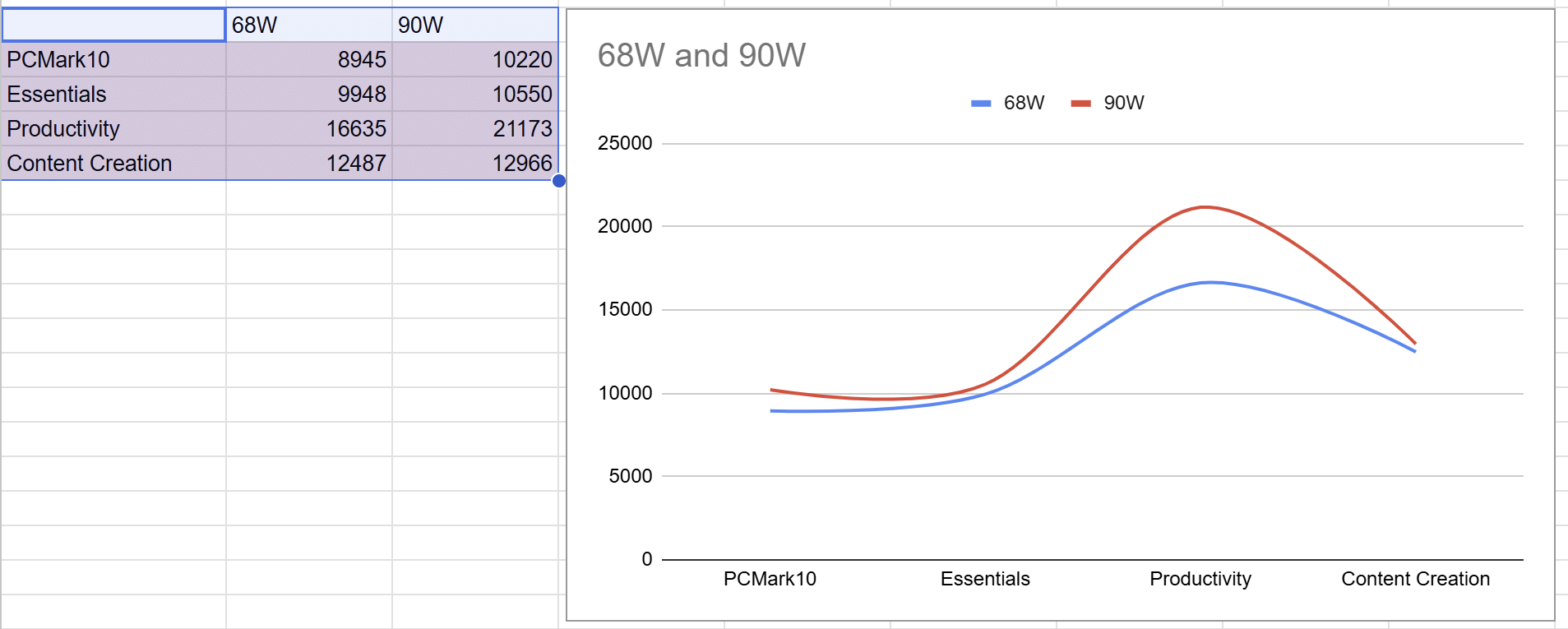
The performance difference between using a 68W charger and the 90W charger. (Image Credit: Aditya Madanapalle/News9).
With a 90W power supply, it takes 1:03 and 2:56 minutes to generate media on Audacity and Stable Diffusion, as mentioned earlier, with a 68W power supply this drops to 1:17 and 3:35 minutes, which should give an idea of the performance edge that the 90W power supply provides. It is because of this charger that such a thin laptop ships in such a thick box. We also received an optional USB-A to ethernet dongle in the box, along with a laptop sleeve.
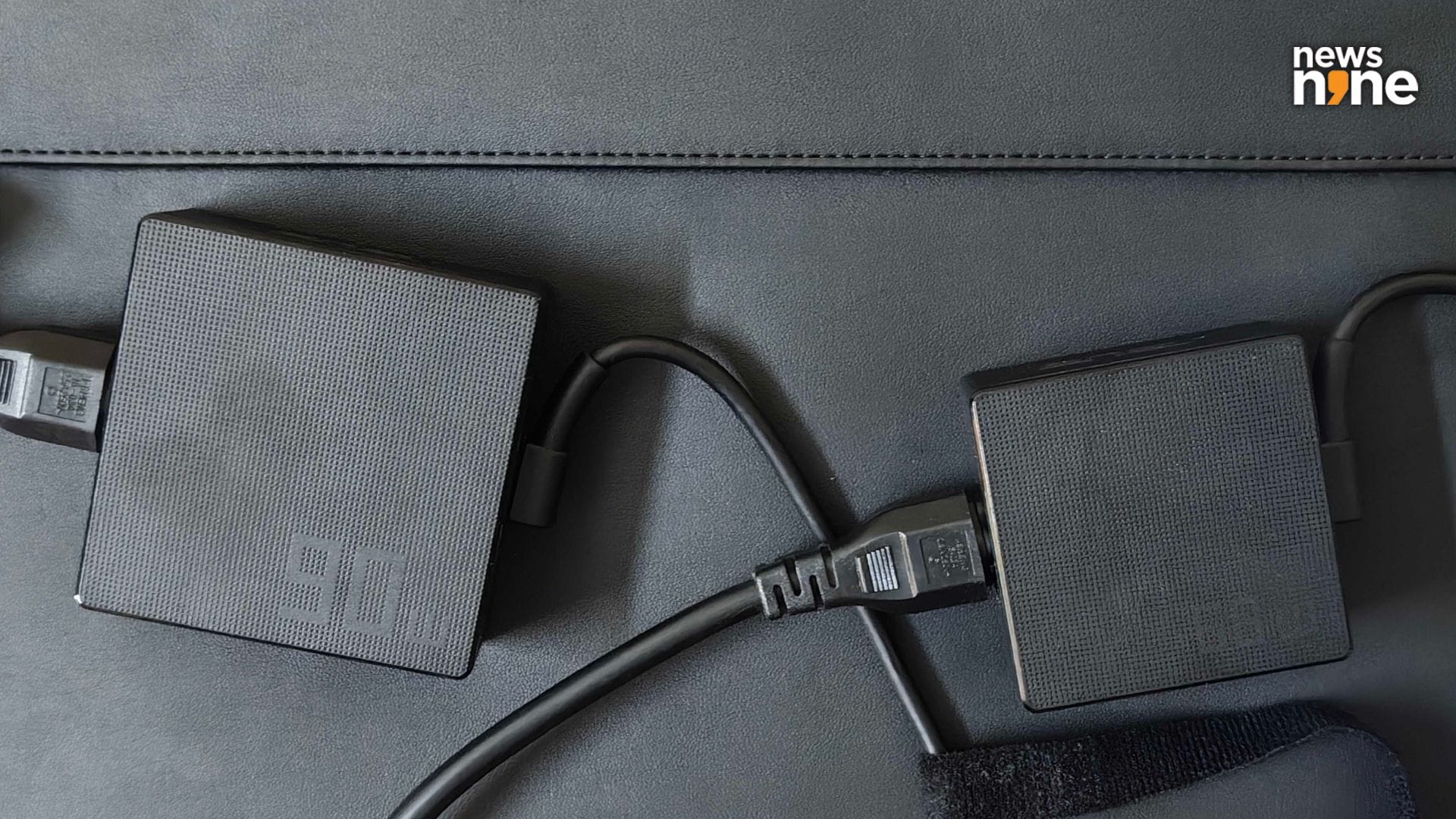
The 90W ExpertBook Ultra charger next to a 68W Zenbook charger, on top of the ExpertBook laptop sleeve. (Image Credit: Aditya Madanapalle/News9).
The ExpertBook Ultra is a laptop that is effortless to use. It can handle playing videogames, while streaming and being on voice calls, at the same time, without problems. Even when opening up 250 tabs, the laptop pauses for hardly a moment. One thing we really liked about the device was how the battery was not a problem. We used the device throughout the day for recording, transcribing, video editing, and using a content management system, without having to juice up. This included a four and a half hour drive. The ExpertBook Ultra goes through 7:30 hours of office-based use that includes multimedia editing, spreadsheets and browsing, before the energy saver feature kicks in at 30 per cent.
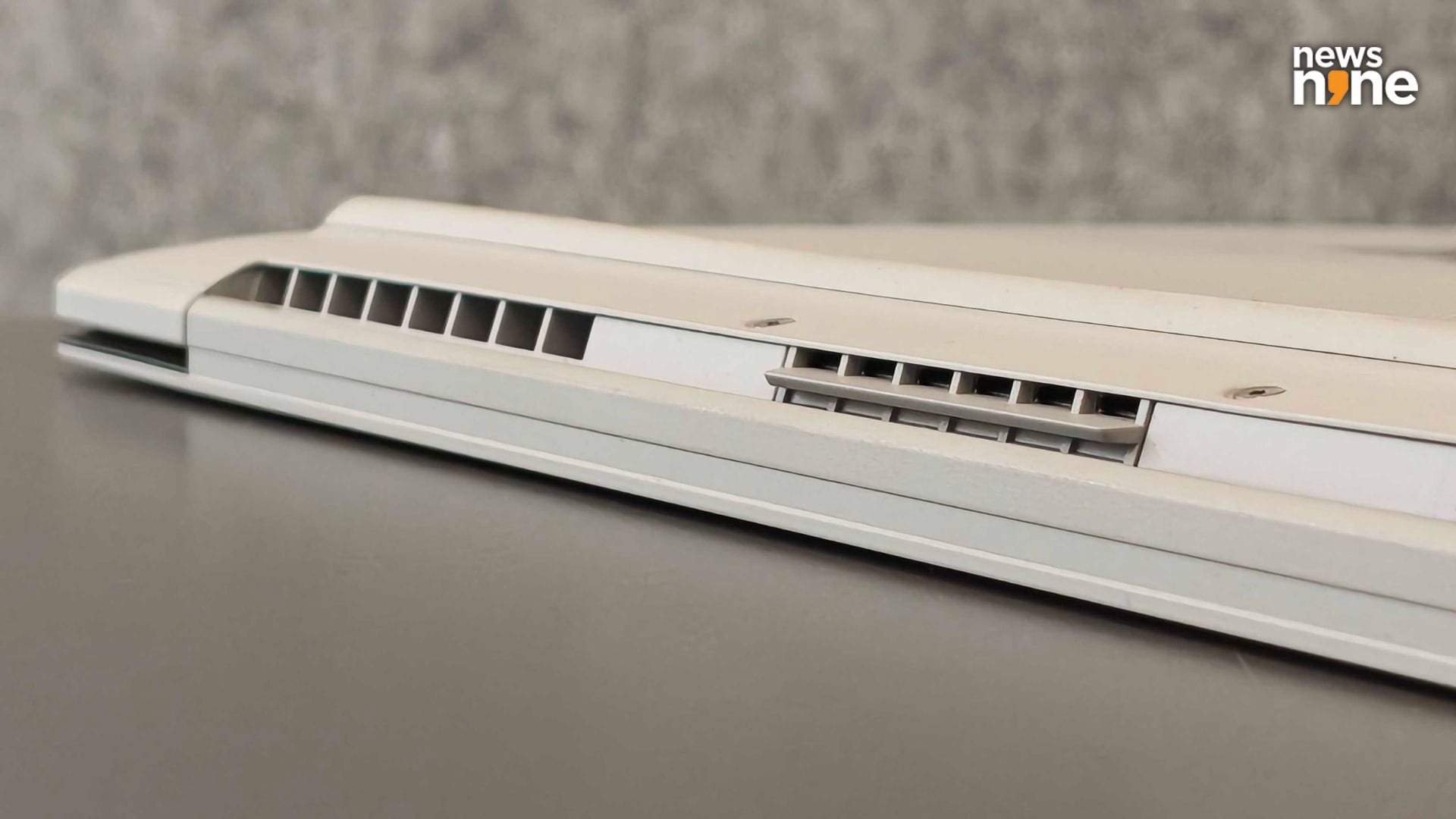
The vents at the back of the ExpertBook Ultra. (Image Credit: Aditya Madanapalle/News9).
This is not just because of the efficiency of the CPU, Asus has redesigned the entire power delivery architecture for the laptop, with thin, high density batteries. Asus has used a sophisticated full-span cooling system. Crosswinds from a pair of fans create a high pressure over the SSD/RAM/CPU, each with their own outlet vents. There is a third exhaust vent right in the centre, where the air from the high pressure region of the silicon gets automagically pushed out. This central vent looks like it belongs on some kind of reusable orbital vehicle if you manage to see it somehow. The fans do not get loud even in the brutal Delhi summers, we checked at temperatures of 49°C.
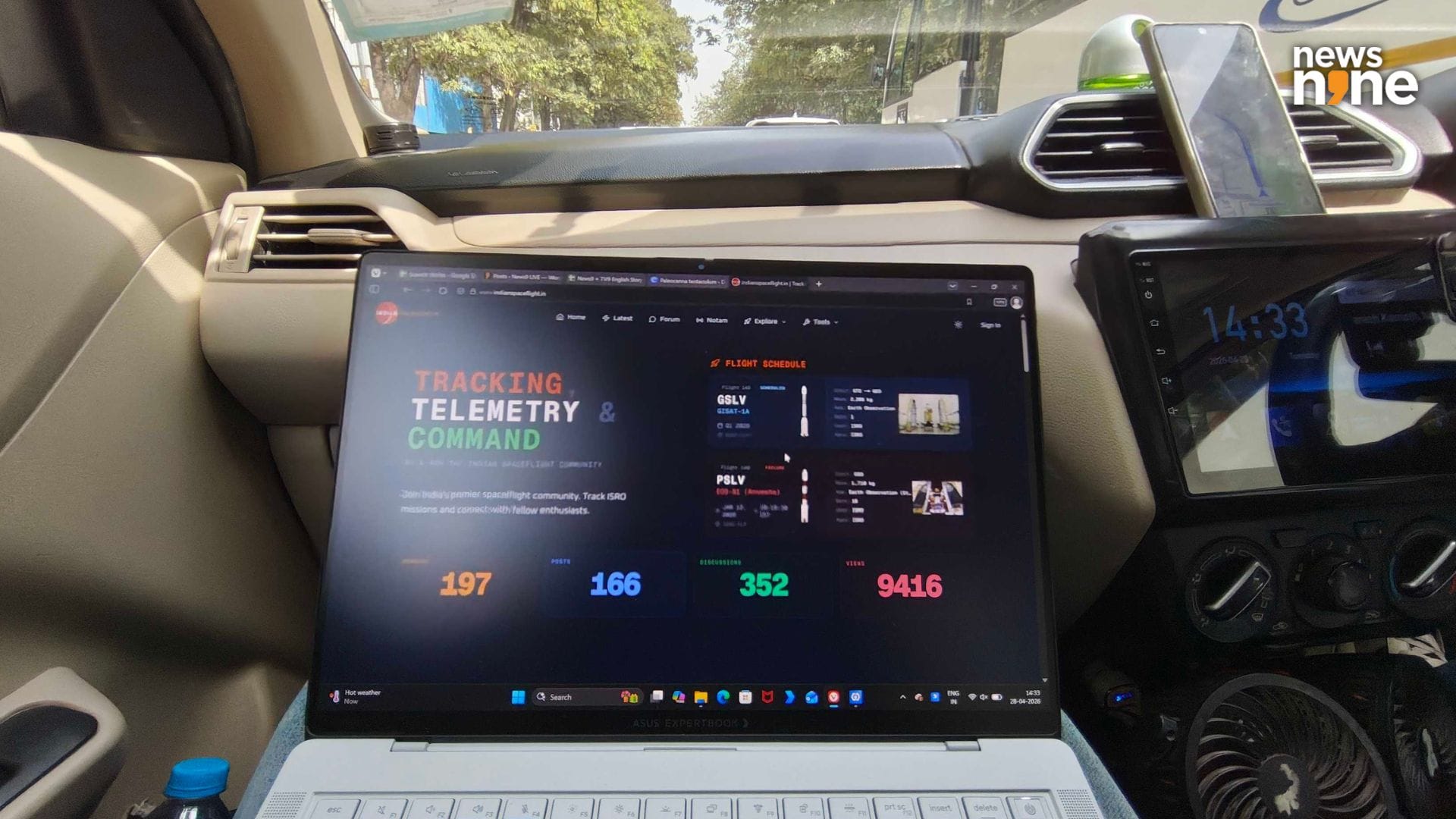
Bumpy roads tend to make the light display open up more. This image also showcases the military-grade anti-glare. (Image Credit: Aditya Madanapalle/News9).
One slight problem that we noticed was that the hinge does not stay open in place while the laptop is being used in a car, and tends to open more and more during bumpy stretches of road. The lid actually wobbles a bit when you are typing really fast. The device is just so light, which makes it comfortable for extended use as an actual laptop. On the drive back of another 4.5 hours, the Sun shining was shining straight through the back, throughout the journey. Normally, computing with such lighting is challenging, and you have to constantly reposition yourself to catch the shadows. Not so with the ExpertBook Ultra.

The anti-glare does a good job of diffusing even direct light. (Image Credit: Aditya Madanapalle/News9).
This is because of the military grade anti-glare on the screen, as well as the 1400 nits of HDR brightness, and 600 nits of brightness. ASUS has boosted the brightness using a Tandem OLED display, where the OLEDs are stacked. The Tandem OLED tech increases the brightness, without significantly increasing the power draw. This is a fast display with a 30-120Hz variable Refresh Rate. Asus has used Gorilla Glass Victus with the Gorilla Glass Matte on the display, which makes the display feel more like paper than a glass. It is still smooth, just has a bit of texture which enhances the tactile experience of using the touchscreen.
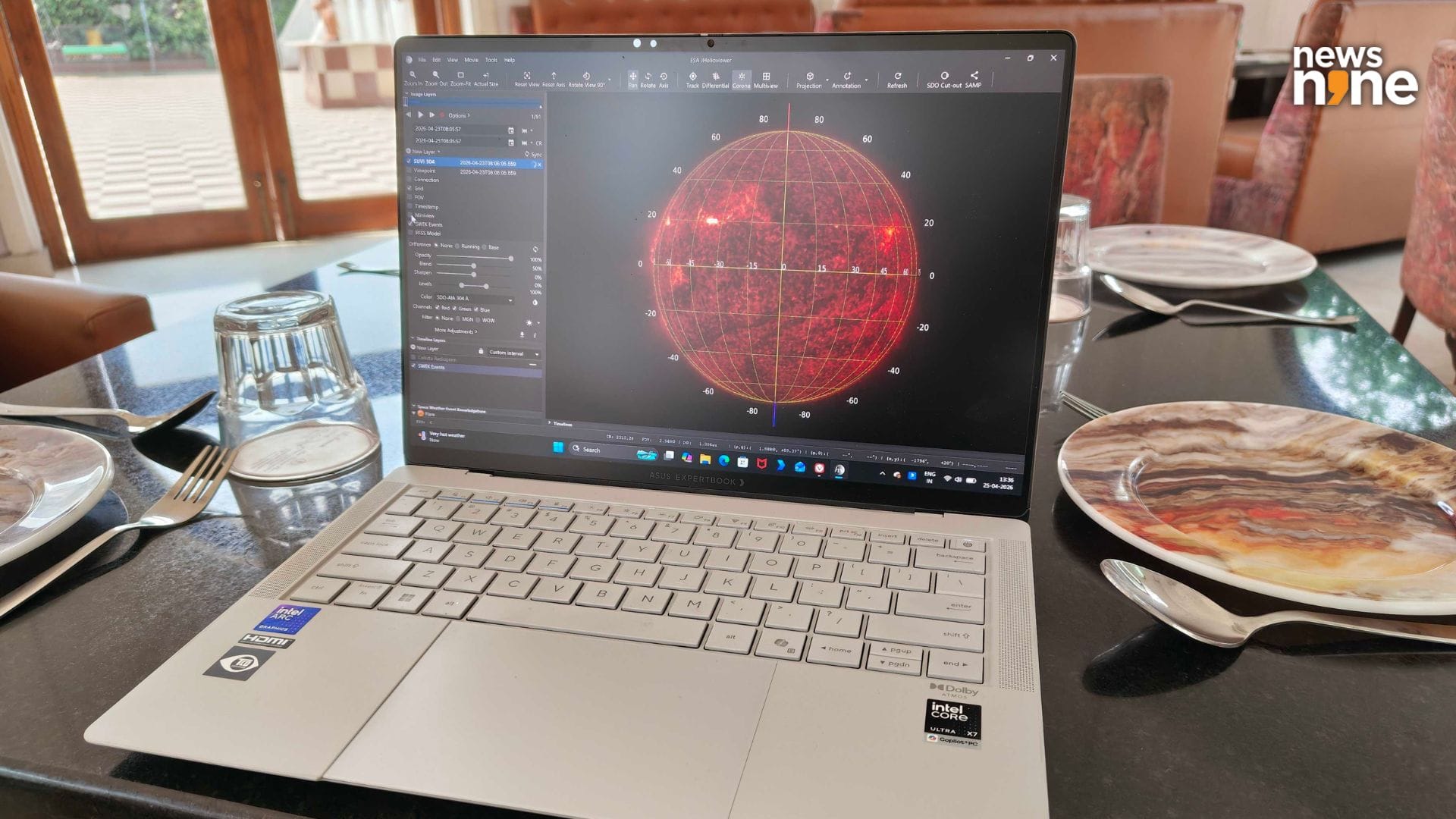
The anti-glare does a great job at increasing eye comfort. The ExpertBook Ultra gives you independence from plug points. (Image Credit: Aditya Madanapalle/News9).
The anti-glare is achieved through nano-etching, and this actually significantly improves the experience of the device. Other laptops, you really have to reposition and adjust a lot to avoid the reflections, and are either not bright enough, or are too reflective, or both to be used in the range of situations that we used the device in, including conference rooms, moving vehicles, hotels, an exhibition, and an office with bright ceiling lights. In fact, this was a pain point we had with OLED displays, and it was so much fun to finally enjoy an OLED display without having to worry about the glare. For years we have had to choose between juicy displays or glare-free displays. The lack of glare also reduces eye strain, and you can just comfortably compute without having to juggle the position and settings to reach something that works.
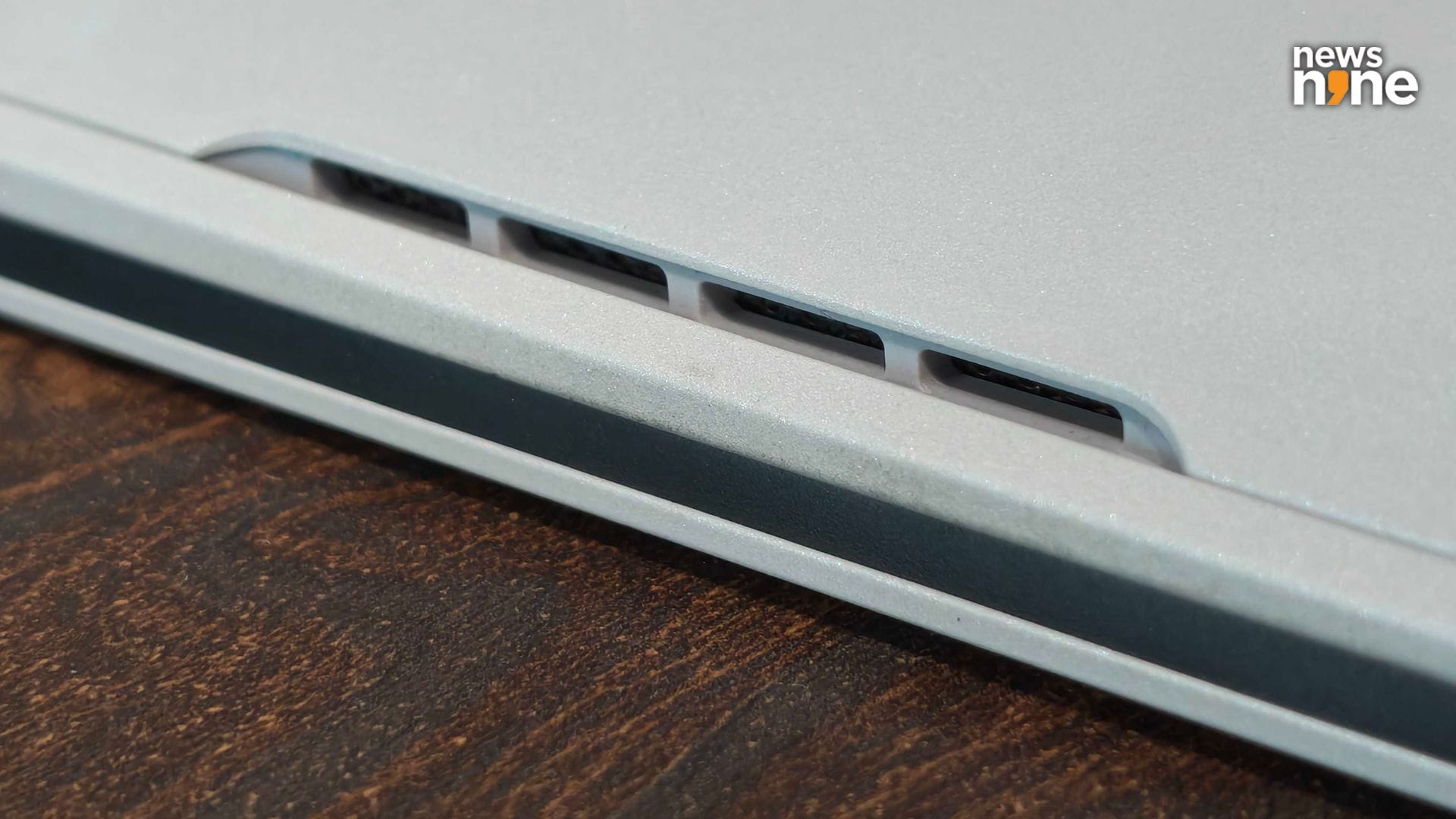
The speaker grilles are on the sides. (Image Credit: Aditya Madanapalle/News9).
Now the speaker system is something of a surprise. There are four woofers, paired on either side, along with two tweeters. This delivers deeper bass, but on the form factor, it just does not sound whiny like most other thin-and-light laptops. The bass is just normal though, it is not particularly punchy, and not even bass forward, the sound is actually clean and neutral. It is not muted, as the quality does not suddenly improve if you lift up the laptop, and it does not sound tinny, both of which are common issues with the form factor. The sound setup, combined with the AI noise cancellation, is good enough to get on conference calls or voice comms while gaming without having to use external peripherals. The brilliant display, combined with the audio setup, is great for story mode games and streaming.
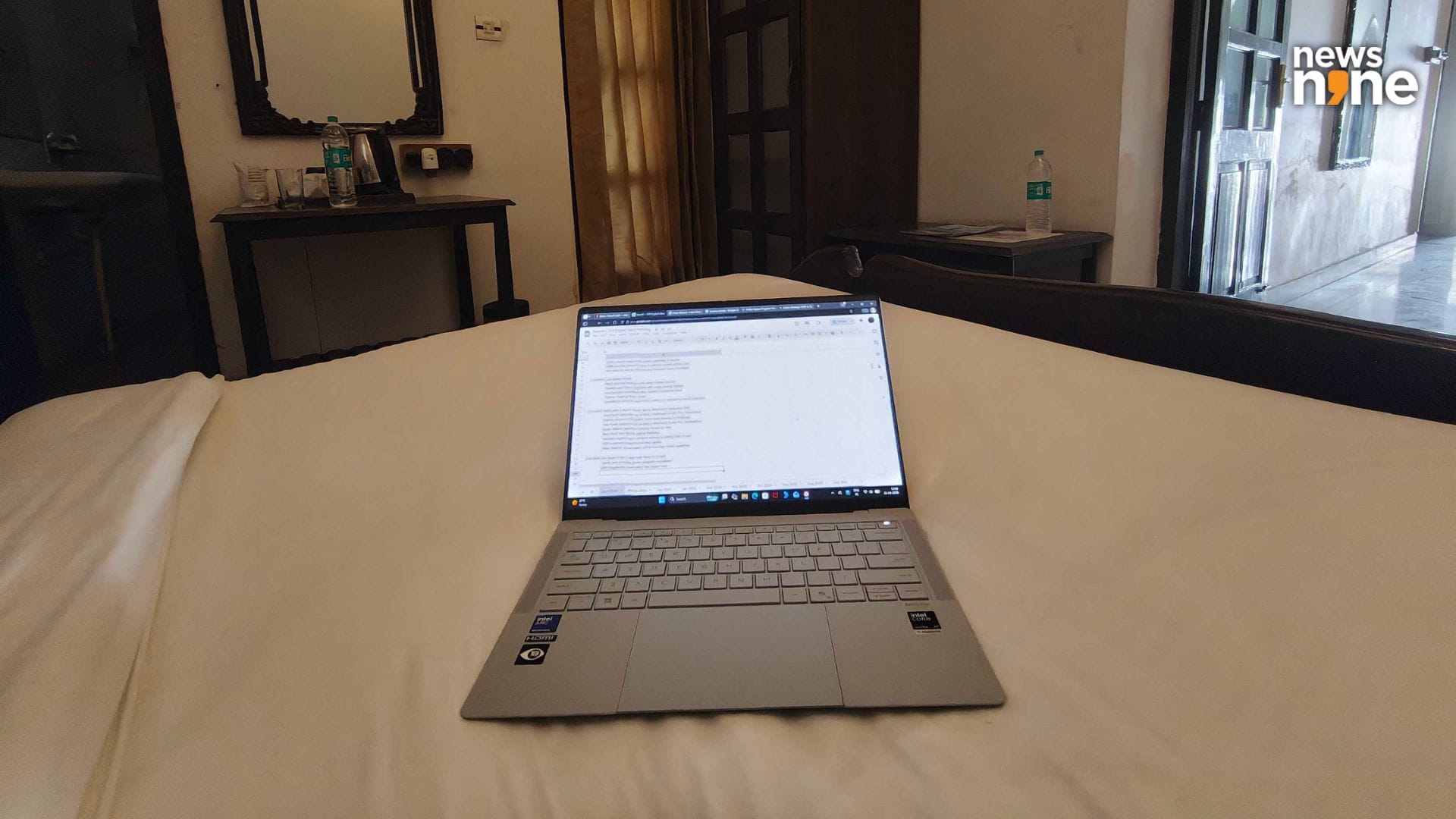
If your data is more valuable than the price of a laptop, you need the enhanced security features of a business laptop. (Image Credit: Aditya Madanapalle/News9).
Now this is a laptop designed for CXOs, that means meeting the security requirements of the organisation. If there is a CTO, then the CTO can sleep easy knowing that the CXO is using the ExpertBook Ultra. If you are a CXO without a CTO, then you can rest easy knowing that you are using the ExpertBook Ultra. It has the security features needed to protect the device from procedural crime shows level of hacking. The dual BIOS ROM ensures that malware cannot persist on the system, using a physically isolated security microprocessor that protects the BIOS and the firmware. The hardware logs tampering events and verifies the integrity of the firmware. These advanced security features, or the firmware-level protection benefits small businesses, that protects the firmware, detects unauthorised changes, and recovers the system rapidly if it is corrupted or compromised.
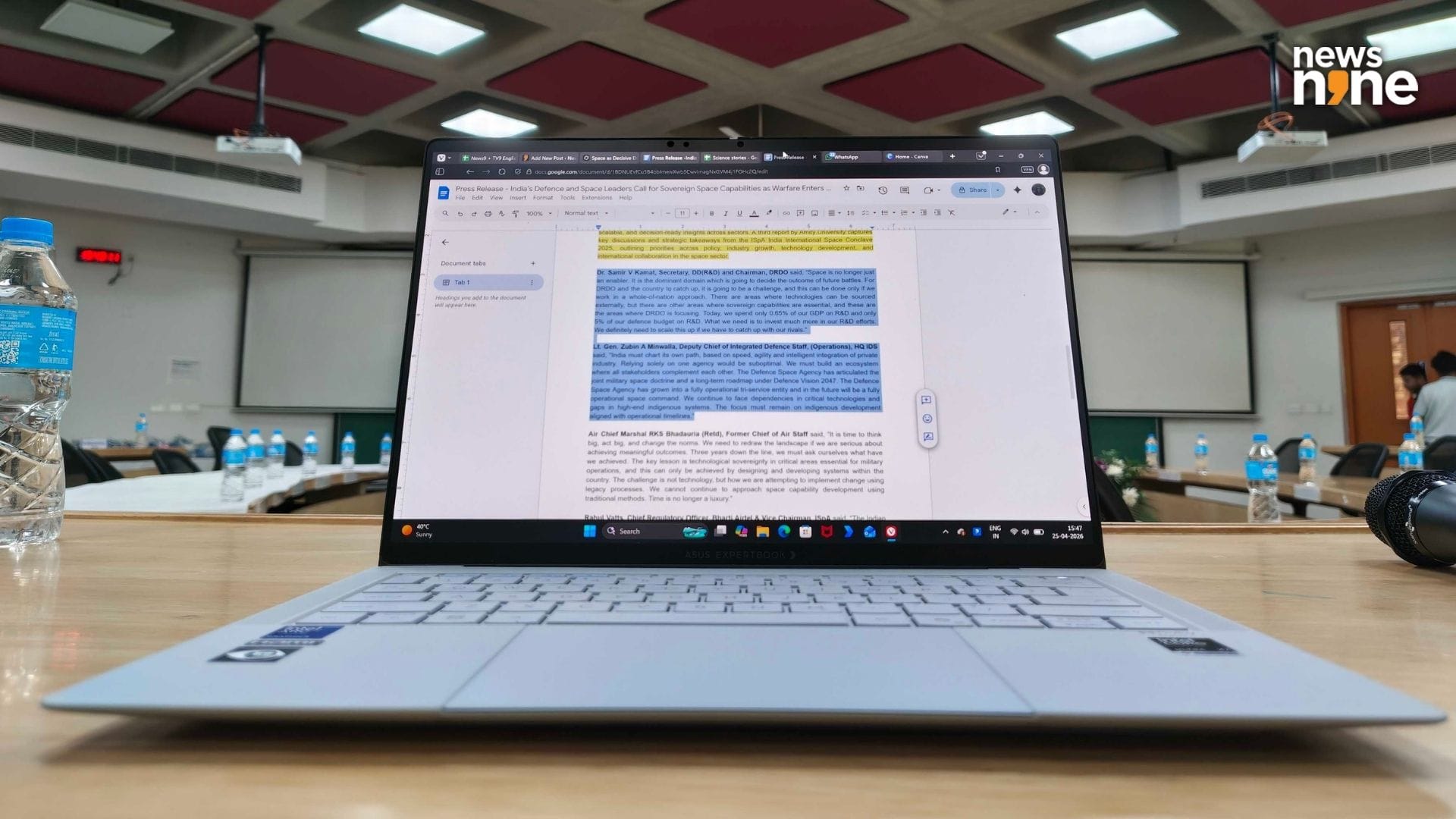
The independence from plug points is refreshing. (Image Credit: Aditya Madanapalle/News9).
Asus has crafted an experience that allows you to focus on your work here, without worrying about the device itself. The ExpertBook Ultra is an incredibly handy, convenient and powerful computing platform. You can juice it up using a car charger, or even a power bank, but things do not really get so desperate. There are a ton of small details focused on ease of use that are easy to miss, such as the mute indicator, or the firmness of the power button, or the physical camera shutter, or the comfortable keys with 1.5mm travel. This is a laptop that you do not have to think about too much, it is going to be there when you need it. It is the combination of all the specifications and features that makes it a comfortable tool for sustained computing.
Verdict
Asus has gone above and beyond here, on the engineering, the thoughtful design, and feature selection to provide an incredible, compelling package. This is a device that elevates the whole category, and absolutely justifies the claim of being an industry flagship. What we are interested to see is how other OEMs respond to the release of this device. The complete package offered by the ExpertBook Ultra is unbeaten by the other flagship business laptops. The Lenovo ThinkPad X1 Carbon is a device that is worth considering here, that also has a keyboard with 1.5mm travel, which we consistently type faster on, and the screen lies flat, opening up by 180 degrees, something that the ExpertBook Ultra cannot do. The ExpertBook Ultra comes out ahead in terms of battery, display, ports and performance.
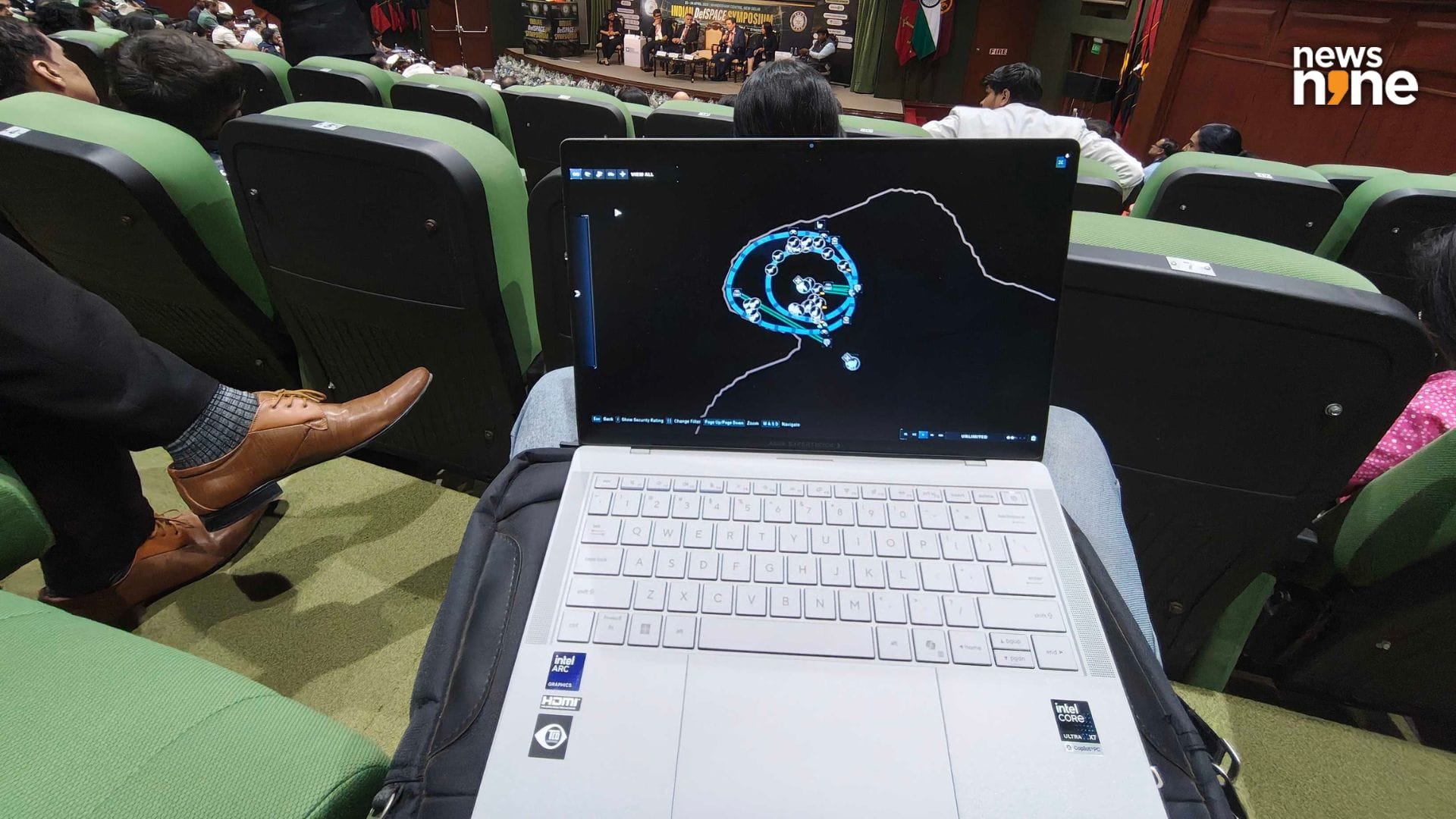
Playing Jurassic World Evolution 2 on Xbox Game Pass on an Asus ExpertBook Ultra using Nvidia GeForce Now at ISPA’s DefSpace Symposium 2026. (Image Credit: Aditya Madanapalle/News9).
For a tech enthusiast, this is just an incredibly thin, light and robust laptop powered by fresh silicon. The specs are something that anyone would drool over. However, for the target audience, the ExpertBook Ultra is something that you need. If the value of your data is more than that of a laptop, then an Asus ExpertBook or at least a business laptop with enhanced security features is something that you need. If you need to compute while on the move, in a vehicle, at a conference, outdoors in the sunlight, or power through a long-haul flight, then this is the device for you. It is not just CXOs and founders that can benefit from the ExpertBook Ultra, but also lawyers, journalists, doctors, architects and anyone who works with sensitive or confidential information. At least for the target market, the ExpertBook Ultra is an easy recommendation.